Guide · Updates
Updates and game patches
seronebot looks for a newer version at every start and while it runs, and installs it in a minute. After a Path of Exile patch the bot waits for data of the new game version: the launch window says so and goes on by itself once it is out.
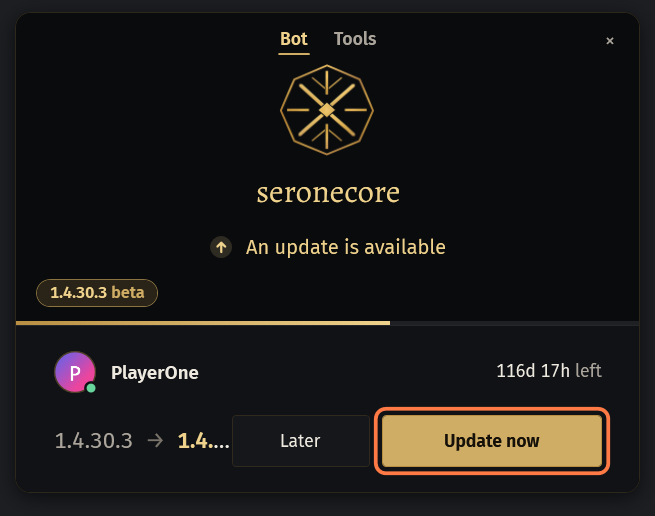
At every start
The line under the logo first says Checking for updates…, then This is the latest version when you have the newest seronebot.
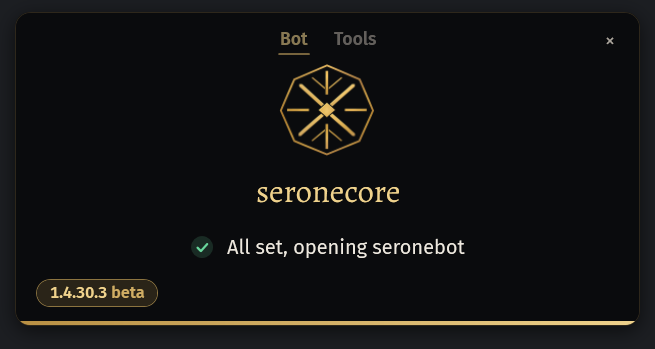
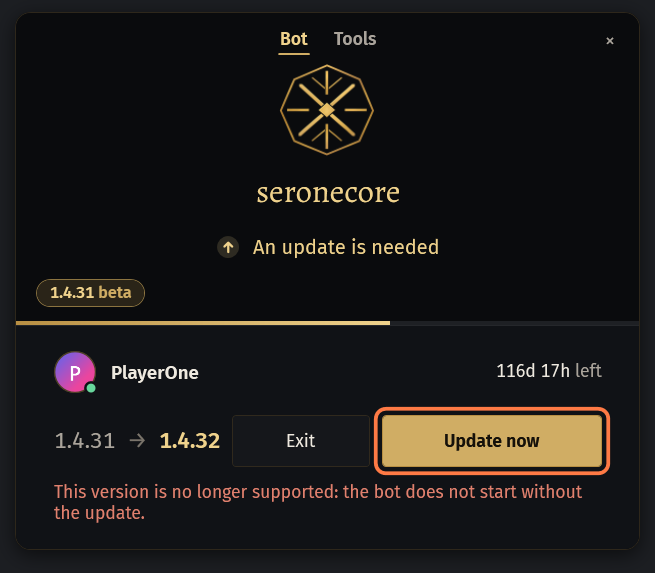
When a newer seronebot is out, a card comes after the key step: your account, the time left on your key and the two versions. Click Update now: seronebot downloads it, closes and opens again by itself.
- Later keeps your version for this start; the card comes again at the next start.
- After the restart the line says Updated to … (was …).
This version is no longer supported: the bot does not start without the update. under the card means only Update now and Exit are there.
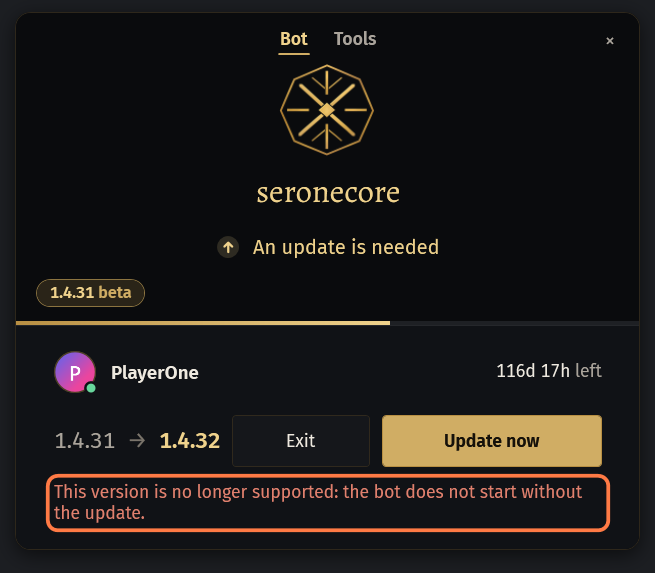
Only
seronebot.exeis replaced. YourSettingsandLogsfolders next to it stay as they are.The update site did not answer: seronebot goes on with the version you have and asks again at the next start.
While the bot runs
Ten minutes after you start seronebot yourself, and then every hour, it asks the site again. A newer version is downloaded and put in place at once; the bot goes on.
A plate over the log says Version … is ready: seronebot restarts at the next stop of the bot, the game stays open., and Windows shows A new seronebot version is ready.
At the next stop of the bot, yours or its own, or when you click Restart now, the window shows Updating to … for a moment, closes and opens again with the same game.
Started from SOCMultiPoE, seronebot does not update itself while it runs: SOCMultiPoE updates it before it starts a profile.
What's new
At the first start of a new version a card WHAT'S NEW opens over the window with the release post: the same text as in #seronebot-updates on Discord and in the news of the site. The posts are in English.
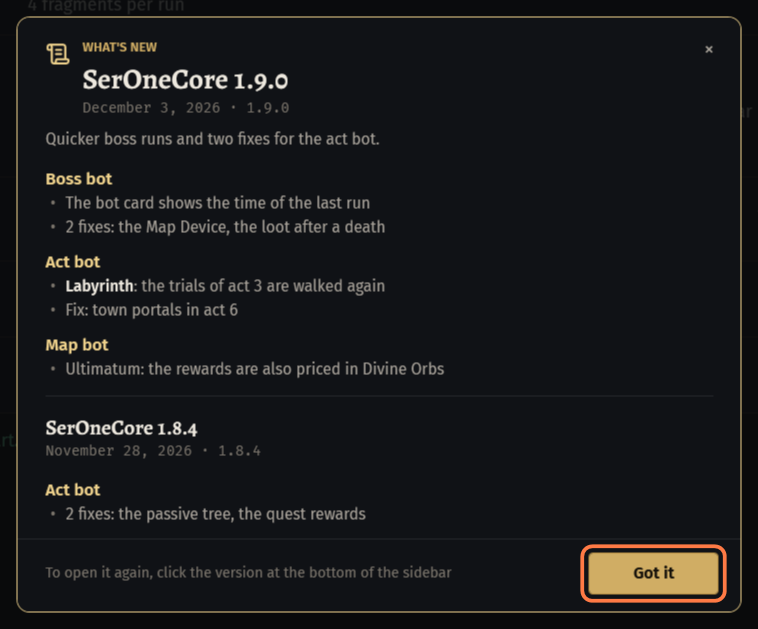
- After an update over several versions the card holds the post of each, up to five, the newest on top.
Close it with Got it, the ×, Esc or a click beside the card. It shows once for each version, also when several seronebot windows are open.
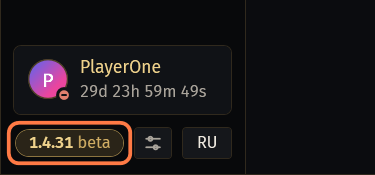
To read it again, click the version at the bottom of the sidebar of the big window: it shows the newest post up to your version.
After a game patch: Start waits
A Path of Exile patch moves the game's data in memory. Until seronebot knows the new places, the bot would read and click wrong, so it does not start. There is nothing to fix on your side.
After many patches seronebot only needs new data from the site: it takes them when it starts, and the bot starts as usual.
Otherwise the launch window says Path of Exile has been updated and The bot starts once a seronebot for the new version of the game is out. The window checks by itself and offers the update. Leave it open.
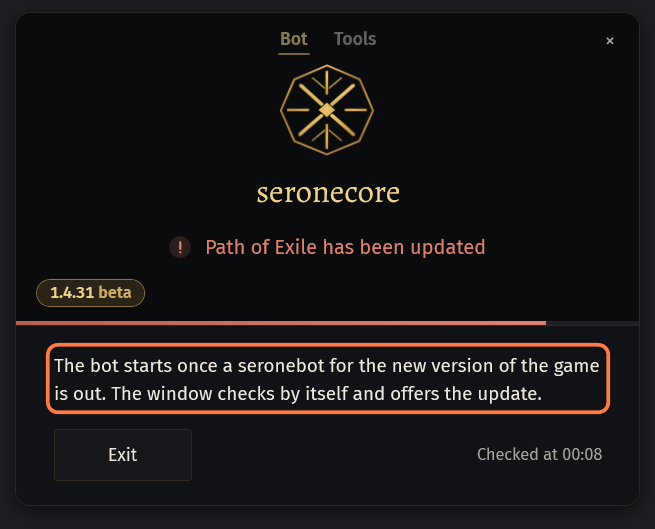
- Checked at … says when it last asked the site. It asks every minute.
When the new seronebot is out, its card comes in the same window: click Update now.
If #seronebot-updates says seronebot works on the new patch and your window still waits, close it and start seronebot again.
The game needs its update is the other way round: your Path of Exile missed the patch. Close it, start it once from its own launcher (Steam or the standalone client), let it download the patch, then start seronebot again.
Tools wait the same way. Started from SOCMultiPoE, where there is no launch window, Start is locked with seronebot is not ready for the new build of the game yet: wait for the seronebot update (the launch window offers it): start the profile again once the update is out.
A new league: the start is closed
At a league start we may close the start for everyone while the bot is made ready for the new league. After the key step the launch window says seronebot is not ready for league … yet, with our words under it, for example when we plan to open.
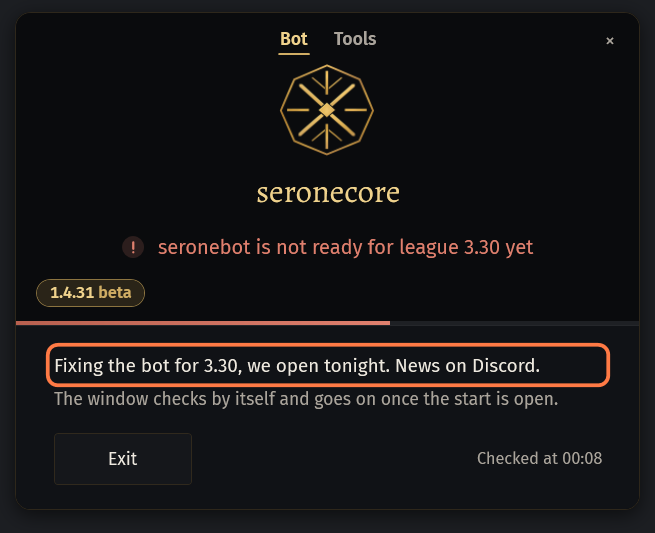
Leave the window open: it asks the site every minute and goes on by itself once the start is open (The start is open), with the update card when a new version came with it.
In a start without the launch window, from SOCMultiPoE for example, Start is locked with our words or with The bot is being updated for league …: start is closed for now.
A ping for every release
Every release is posted in #seronebot-updates on our Discord by The Shaper: the version, the game patch, whether the update is required, and what is new.
In #start-here press Updates: you get a ping for every seronebot release. Press it again to stop.
If something goes wrong
What you see and what to do- This version is no longer supported: the bot does not start without the update.
- Click Update now. Without the update this version does not start the bot.
- The update failed: …
- The words after the colon say why. Click Try again. Later goes on with the version you have for now.
- The update site did not answer
- seronebot goes on with your version. The next start asks again.
- Path of Exile has been updated
- Nothing to fix: leave the window open, it offers the new seronebot as soon as it is out.
- The game needs its update
- Start Path of Exile once from its own launcher and let it download the patch, then start seronebot again.
- seronebot is not ready for league … yet
- The bot is being made ready for the new league. Leave the window open: it goes on by itself once the start is open.
- seronebot is not ready for the new build of the game yet: wait for the seronebot update (the launch window offers it)
- The game was patched. Wait for the update in #seronebot-updates, then start seronebot (or the SOCMultiPoE profile) again.
- The game is older than this seronebot: start Path of Exile again from its launcher so it updates
- Close Path of Exile, start it from its own launcher and let it download the patch, then start seronebot again.
Stuck on a step?
Ask in #support on our Discord and send your log with Copy log: it shows what the bot saw.