Guide · Boss bot
Boss bot: your first run
The boss bot (.boss) runs one boss again and again: it takes the fragments from the stash, opens the boss in the Map Device of your hideout, fights, picks up the loot and stashes it. This guide takes you to the first run.
Before you start
Check that your key has the method you want. A method outside your key has a lock on its tile, and the bot does not start with it.
The boss must be open for your character in the game, the same as when you play it by hand.
Put your attack skill on the skill bar and set it on the Combat page (Fill from the game takes it from the skill bar).
Pick the method
In the menu under Bot, click .boss. The page opens on Overview.
Click the Farming method tab, or Change in the first row of Overview.
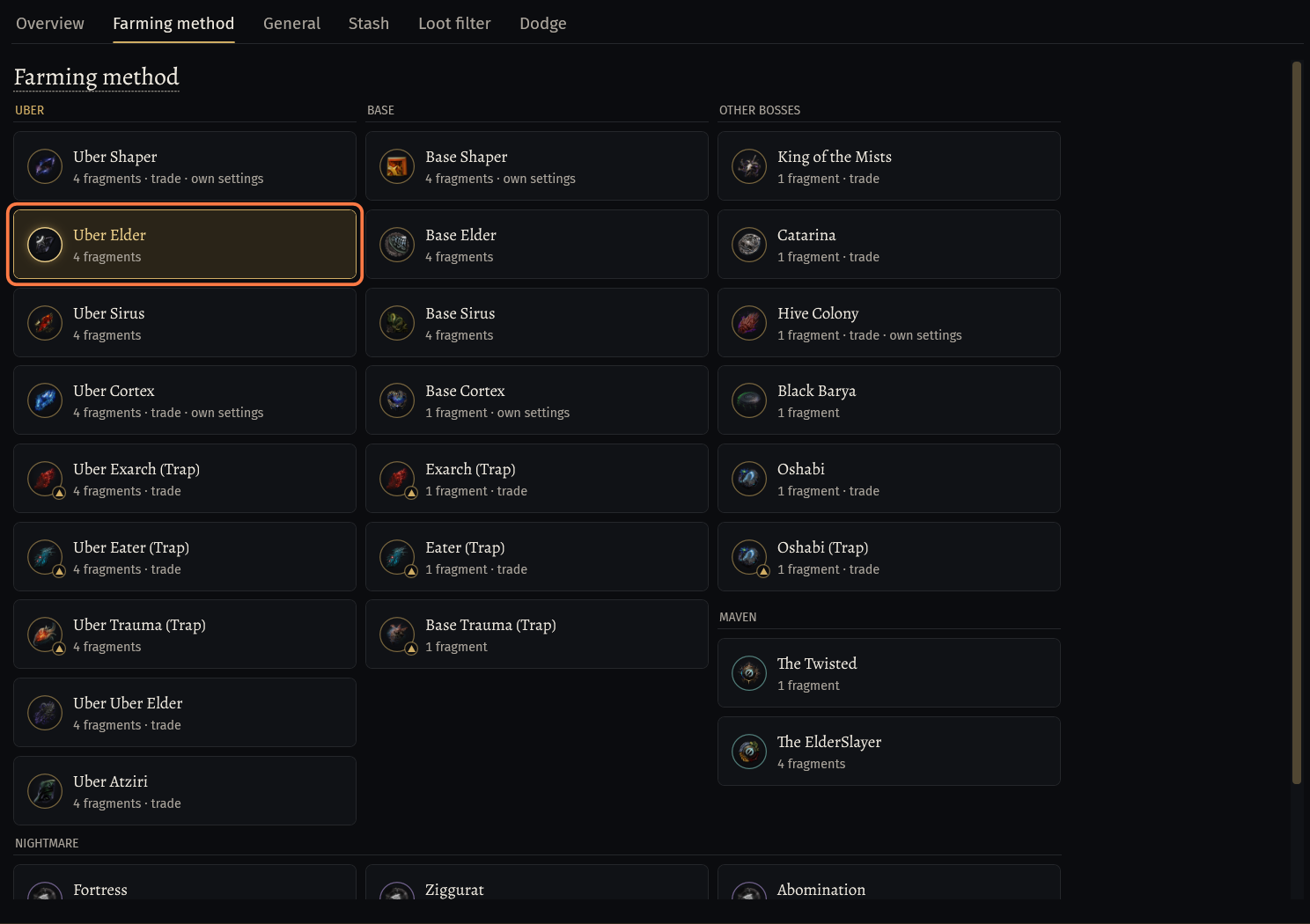
Click the tile of the boss, for example Uber Elder. The tiles stand in columns: UBER, BASE, OTHER BOSSES, MAVEN and NIGHTMARE.
- The line under the name says how many fragments one run takes, for example 4 fragments. trade and own settings mean the method has more settings on the Trade page or on General.
- The Nightmare methods (Fortress, Ziggurat, Abomination, Sanctuary, Citadel) take a Nightmare Map for each run.
After the click the page goes to General by itself, or back to Overview if you came from there.
General: the run
The card Run settings holds what one run takes and what the bot does when a run goes wrong.
Fragments per run shows what the method takes. It is not a setting.
Multirun: switch it on to take the fragments for several runs in one stash visit. Set how many runs in Runs (1 to 30). The line shows how many fragments that is.
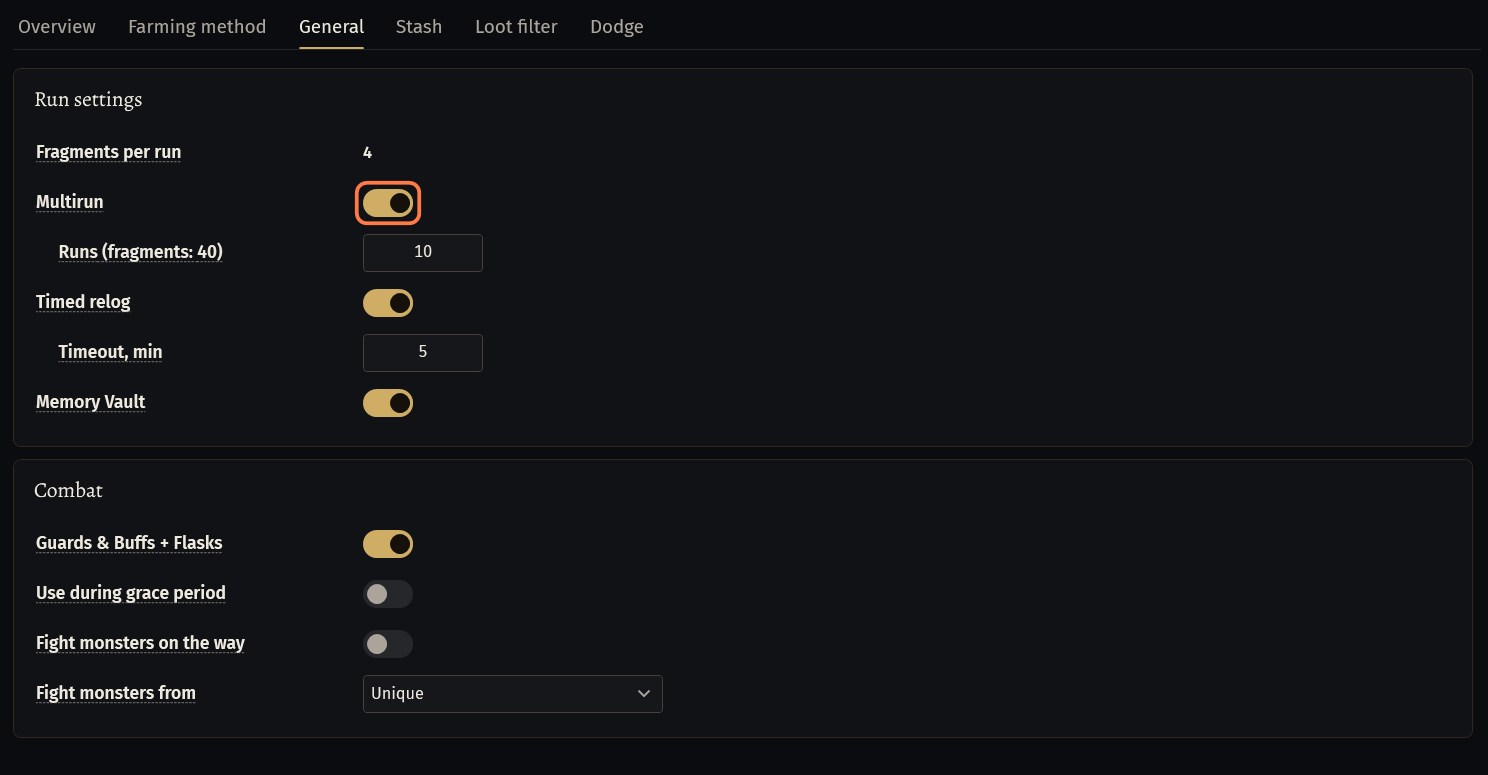
Timed relog is on by default: when a run lasts longer than Timeout, min (5 minutes by default), the bot relogs.
Memory Vault is on by default: between runs the bot enters a vault shown on the atlas and takes its priciest case. Switch it off if you do not want that.
In the card Combat, keep Guards & Buffs + Flasks on: with it the bot uses the rules of the Guards & Buffs and Flasks pages.
A method with own settings adds its card under these, for example Shaper Settings with Re-enter completed Shaper for pending loot.
The bot presses the skills of your build by itself: the attack from the skill bar, Arcanist Brand on the boss, auras and golems, and the guards and buffs of the Guards & Buffs page. Which skills and what you still set: Your build: what the bot presses by itself.
What must be in the stash
Put the fragments of the method into one stash tab, for example the Decaying Fragments for Uber Uber Elder or the Nightmare Maps for a Nightmare method.
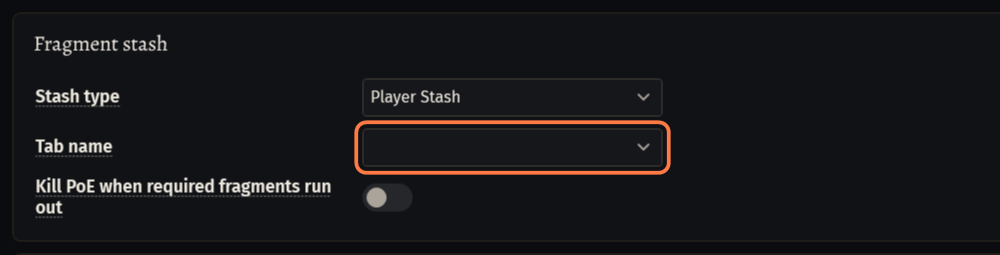
On the Stash tab pick that tab in Tab name under Fragment stash, and a tab for the loot in Tab name under Dump stash.
- How the tab fields work, the guild stash and the tab errors: the guide Stash tabs the bot uses.
Buying fragments at Faustus when the tab runs out is off by default. It is set on the Trade page: see the guide Trade: buying supplies, selling loot.
Hideout and Map Device
Start the bot in your hideout. In a town the bot goes to the hideout by itself.
Keep the Map Device free: no NPC, stash or decoration on it or over its name, and some free floor around it.
Keep the stash you set in the hideout too, and the Guild Stash if you use it.
Start and the counters
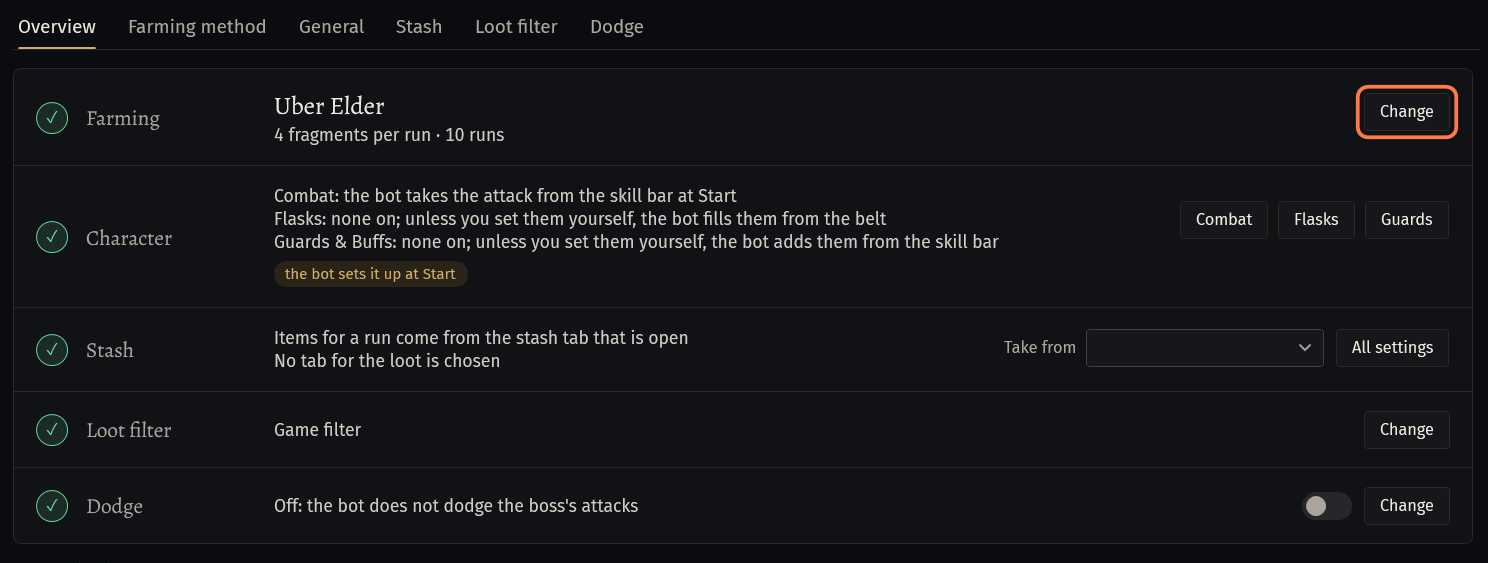
Open Overview. A row marked ! says what is still missing. When nothing is, the line under the rows says Everything is ready. Press Start.
Press Start.
The bot card over the page counts Running for, Runs, Per run, Deaths, and in the newest version also Failed: runs without the boss killed, counted when the bot opens the next map. The compact window shows the runs and the deaths.

If something goes wrong
What you see and what to doUber Elder is not in this license key: unlock it on seronecore.com/dashboard.(on Overview)- Your key does not include this method. Pick a method your key has, or add the method on the dashboard of seronecore.com.
Stash: No fragments moved. Maps: 0/10, Vaal: 0/4, Scarabs: 0/0. (W-UWJZ)orStash: Nightmare Map is absent from the stash (1/2). (W-ZL5U)- The fragment tab has nothing left for a run. Put more into the tab set in Tab name under Fragment stash, or let the bot buy them on the Trade page and keep Chaos Orb or Divine Orb in the tab it pays from.
Stash: Failed to interact with map device. (W-NATJ)- Something in your hideout stands on the Map Device or over its name. In hideout edit mode move NPCs, chests and decorations away from it, then start the bot again.
Stash: Guild tab '4' was not found. Available: 1, 2 (W-FPKE)- A tab on the Stash tab is not in that stash. Pick one of the tabs listed after Available. More in the guide Stash tabs the bot uses.
Stuck on a step?
Ask in #support on our Discord and send your log with Copy log: it shows what the bot saw.