Guide · Map bot
Map bot: Ultimatum, Bestiary and Juiced Maps
The map bot (.map) runs maps from your stash through the Map Device of your hideout, one after another. Ultimatum plays the Ultimatum encounter of each map; Juiced Maps clears maps and does the league mechanics you choose. The page also has Beasts and Inscribed Ultimatum: our runs have not used them on league 3.30 yet.
Before you start
A method outside your key has a lock on its tile, and the bot does not start with it.
Put maps of the tier you run into a normal stash tab. The bot does not take maps from the Map stash tab yet.
On the Stash tab of the bot's page, pick that tab in Tab name under Fragment stash, and a tab for the loot under Dump stash. How the fields work: Stash tabs the bot uses.
Start in your hideout with the Map Device free of NPCs and decorations, as for the boss bot: Boss bot: your first run.
Put your attack on the skill bar: the map bot reads it at Start. See Your build: what the bot presses by itself.
Keep Portal Scrolls in the inventory. Without one the bot leaves a map by logging out, and Auto login, when it is set up, logs in again.
Pick the method and the map
In the menu under Bot, click .map. The page opens on Overview; Change in its first row leads to the Map tab.
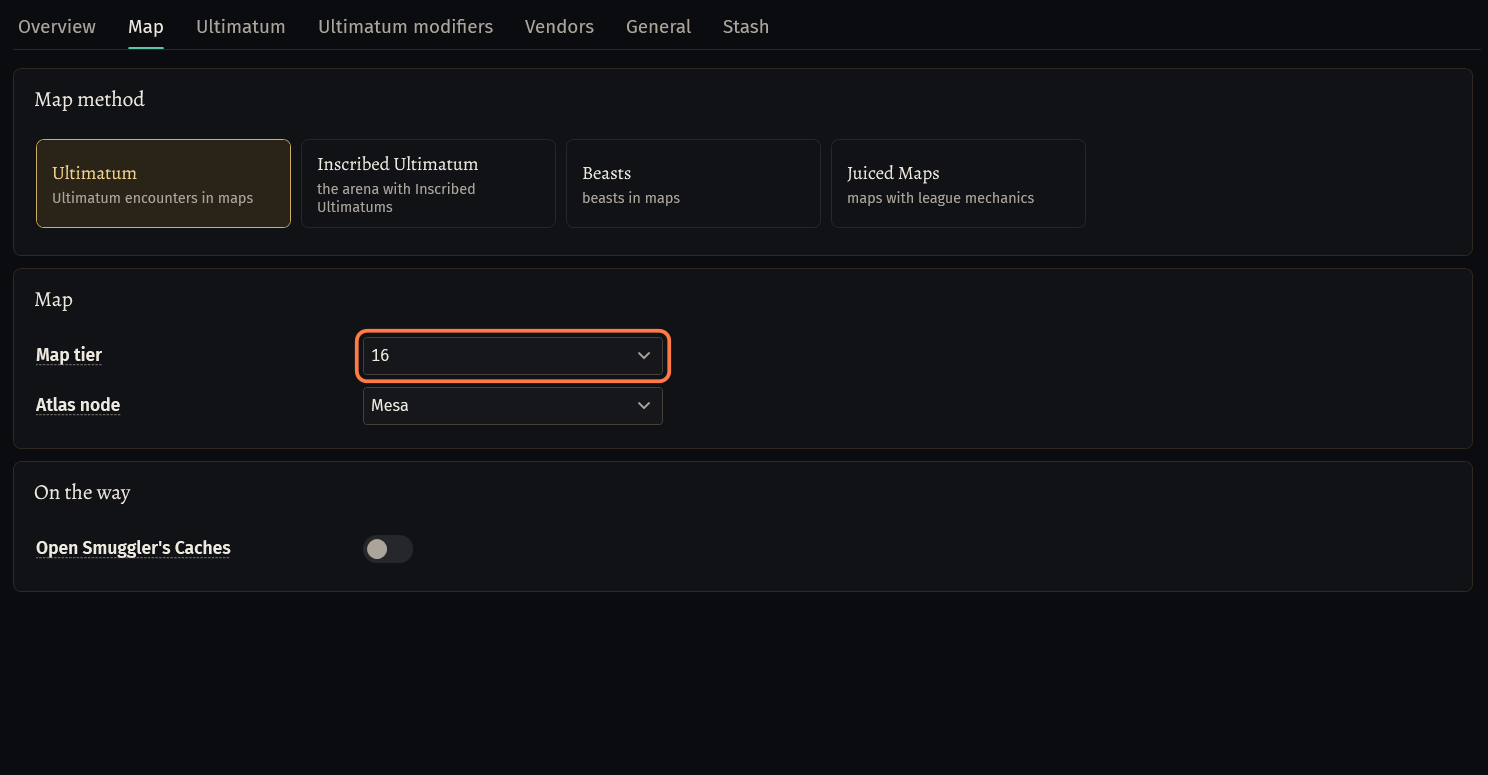
Tab Map, card Map method: click the tile of the method: Ultimatum, Inscribed Ultimatum, Beasts or Juiced Maps.
- The tabs of the chosen method come up next to Map: Ultimatum, Ultimatum modifiers and Vendors for Ultimatum; Juiced Maps and Loot filter for Juiced Maps.
Card Map: Map tier (unique maps are not used) and Atlas node: the map the bot runs on the Atlas.
Card On the way: Open Smuggler's Caches leaves the way to open the caches it sees, up to Max detour (30 to 250).
Open Overview: when nothing is missing, it says Everything is ready. Press Start. Press Start.
Ultimatum
In the map the bot fights its way to the Ultimatum altar, picks one of the three modifiers, plays the rounds, takes the reward and the loot by the altar, then opens the next map.
Tab Ultimatum, card Trial: Stand mode (AFK builds) attacks from the altar and does not chase monsters. Fight while searching fights on the way to the altar; off, the bot runs past. Max distance from altar: how far it goes from the altar during the trial (up to 35).
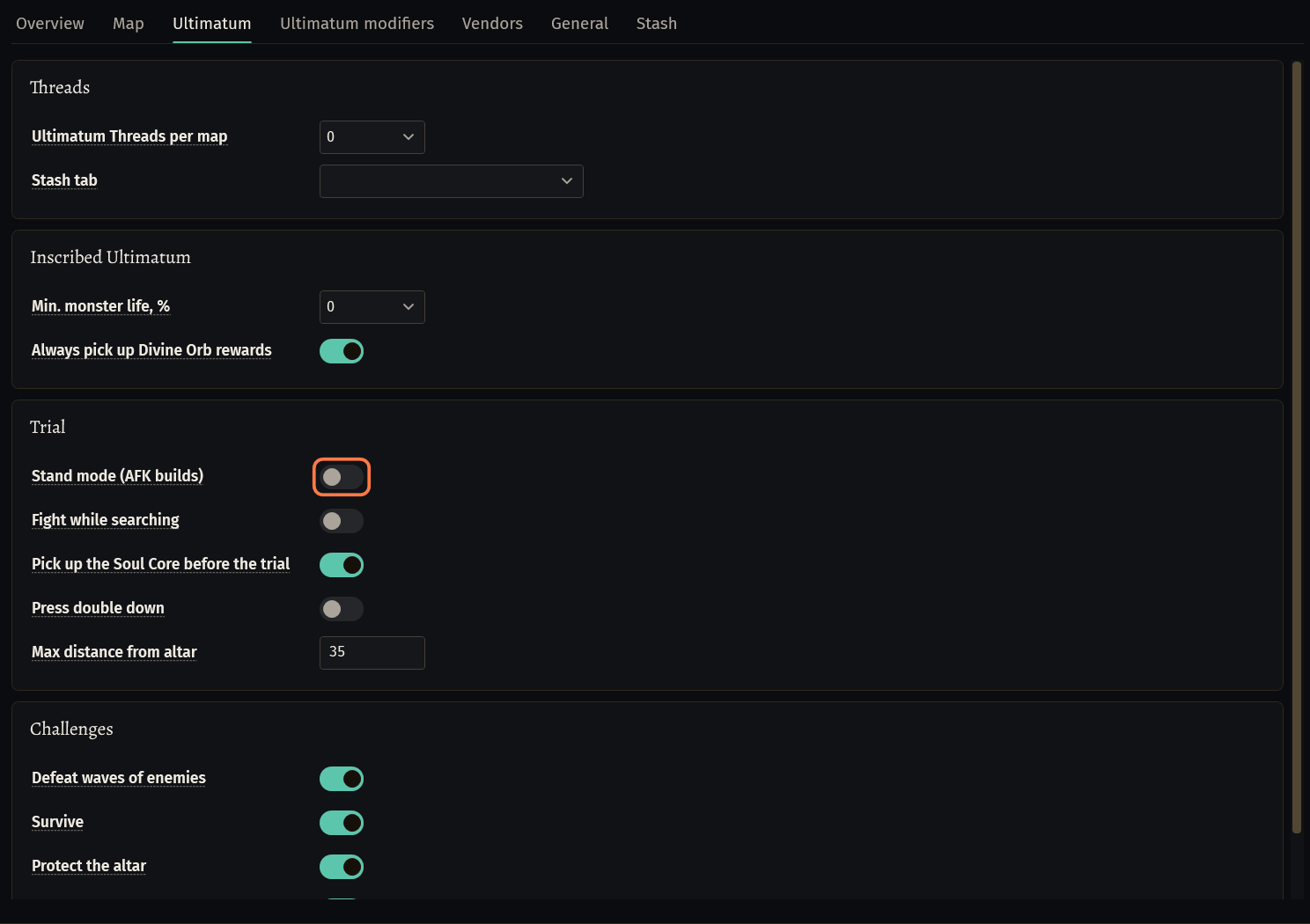
Card Inscribed Ultimatum: Min. monster life, %: an Inscribed Ultimatum is picked up only with at least this much more monster life. Always pick up Divine Orb rewards takes every Inscribed Ultimatum with a Divine Orb reward.
Tab Ultimatum modifiers: the order the bot picks modifiers in. As tuned (the bot's own order, recommended), Careful (the 12 dangerous modifiers last) or Own weights: each modifier by hand, 10 = preferred, 0 = avoided.
Juiced Maps
Juiced Maps clears the map, does the league mechanics you choose and picks up the loot.
Tab Juiced Maps, card Clearing: Full clear (on by default; off: only the monsters in the way), Stash trip when the inventory is full (on: town portal, stash, back into the same map, up to 3 times), Finish at explored, % (90 by default) and Max time, minutes (15).
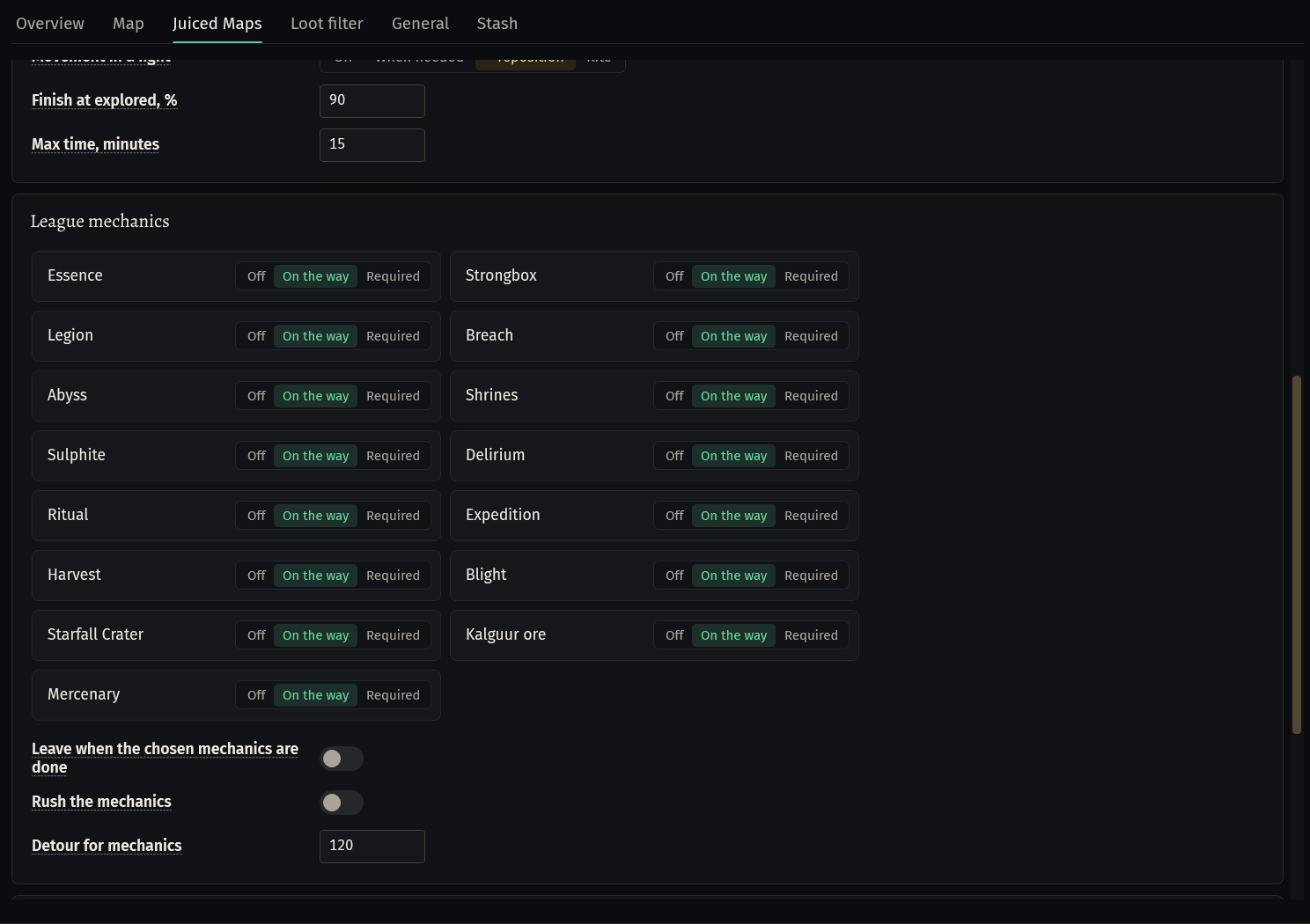
Card League mechanics: every mechanic has Off, On the way (default) or Required. Required: the map is not done while a mechanic seen in it is left; one the map does not have is skipped.
Leave when the chosen mechanics are done (off by default): once every Required mechanic is done, the bot leaves the map. Rush the mechanics (off): no full clear, and every mechanic in sight is worth the way. Detour for mechanics: how far off the way the bot goes to a mechanic (120 by default).
What Juiced Maps picks up: the Loot filter tab, see Loot filter.
Not checked in a game yet: watch the first maps
These parts are in the bot, but it has not run them in a game yet, or not on league 3.30. Switch one on, watch your first maps, and if the bot does something you did not expect, press Copy log and send us the log.
League mechanics of Juiced Maps: the bot has rules for each tile, but most have not been done by the bot in a map yet.
Atlas threads: Threads → Ultimatum Threads per map (Ultimatum, 0 by default) and Threads (up to 3) (Juiced Maps) put threads from the stash tab beside them into the Map Device.
Juiced Maps, card Before the map: Atlas: Exarch / Eater / Maven, Astrolabe on the map with Astrolabe tab, Orb of Alchemy on a normal map with Currency tab.
Ultimatum, card Challenges (newest version): switch off a challenge type you do not want (Defeat waves of enemies, Survive, Protect the altar, Stand in the stone circles). At such an altar the bot leaves the map and opens the next one. The last type that is on stays on.
Ultimatum, card Trial: Pick up the Soul Core before the trial (on by default) and Press double down (off).
Trade page, Juiced Maps: Juiced Maps · Map purchase (The Market) buys maps of your tier when the stash has none. Keep Item Quantity, min % at 0: maps of league 3.30 have no Item Quantity, so any other number skips every map.
Trade page, Juiced Maps: Juiced Maps · Loot sale (Faustus) sells the loot worth more than List from, chaos after each map; the bot picks Currency Exchange or Manage Shop for each item. Chaos Orb, Divine Orb, scrolls, Orb of Alchemy and the maps of your tier are never sold.
Trade page, Ultimatum: Ultimatum · Inscribed auto-sell (Faustus). Tab Vendors: Sell 5 same-life Inscribed to Faustus for 1 (off by default).
If something goes wrong
What you see and what to doStash: No fragments moved. Maps: 0/1, Vaal: 0/4, Scarabs: 0/0. (W-UWJZ)- The map tab has no map of your tier left. Put maps of the Map tier into the tab set in Tab name under Fragment stash (a normal tab, not the Map tab).
Not in this license key: unlock it on seronecore.com/dashboard. The bot does not start with this method.(tooltip of a method tile)- Your key does not include this method. Pick another method, or add it on the dashboard of seronecore.com.
Stuck on a step?
Ask in #support on our Discord and send your log with Copy log: it shows what the bot saw.