Guide · Settings
Combat and movement
Combat tells the bot which slot of the skill bar to attack from and from how far. Movement holds the travel skills and how the bot walks. The bot sets most of it up by itself (Your build: what the bot presses by itself); this guide is for setting it by hand.
Where the pages are
Click Character in the menu. Combat and Movement are the first two tabs over the page.
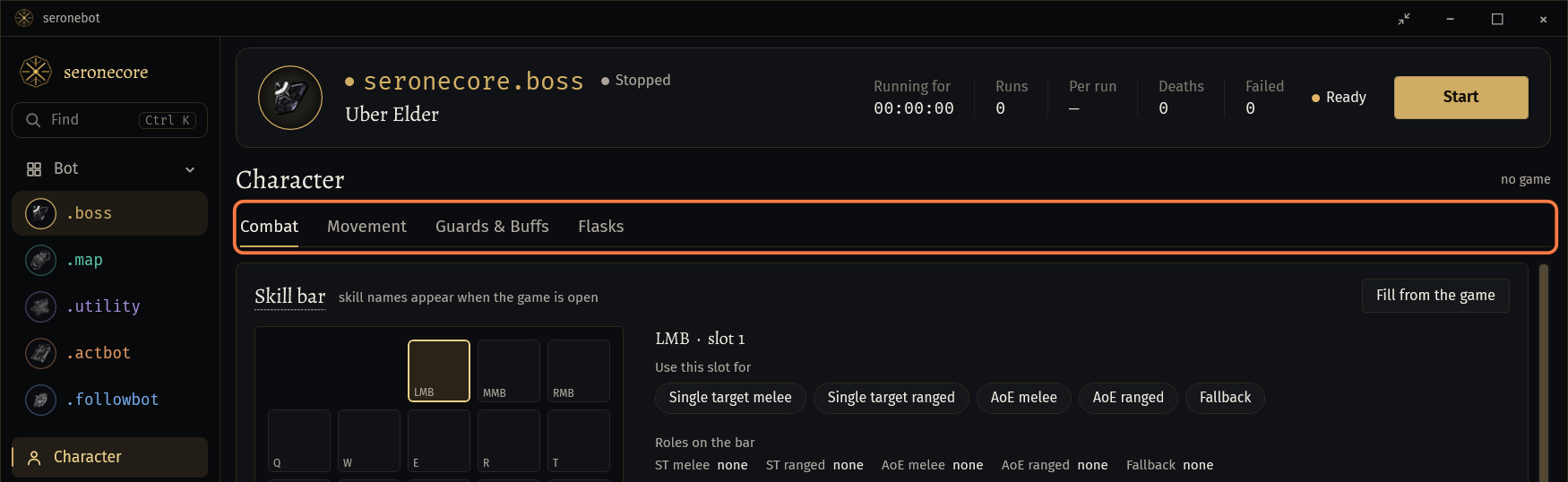
Both pages are one for all bots: what you set here, the boss, map and utility bots use alike.
- The act bot and FollowBot take the roles and ranges from the PoB build while they run, and the page shows theirs then. When they stop, yours are back.
- A profile saves both pages with the bot's own settings.
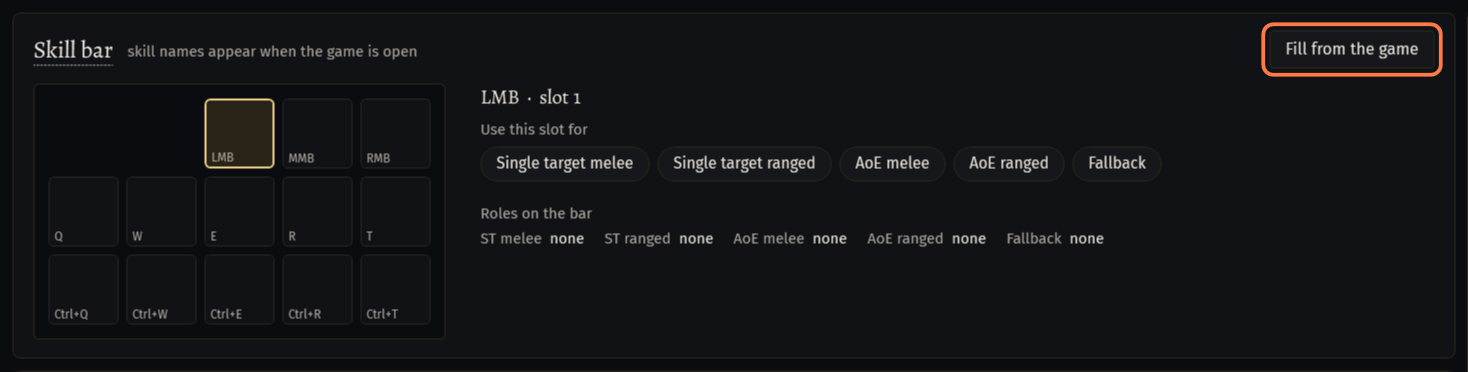
Once you give a role or change a range yourself, the bot keeps your choice. Fill from the game (with the game open) takes the attack from the skill bar again and replaces the roles and ranges.
Skill bar: the role of each slot
The card Skill bar draws the bar as the game does: the mouse buttons, Q to T and the Ctrl row. With the game open the slots show your skills.
Click a slot. Its key and skill come up next to the bar.
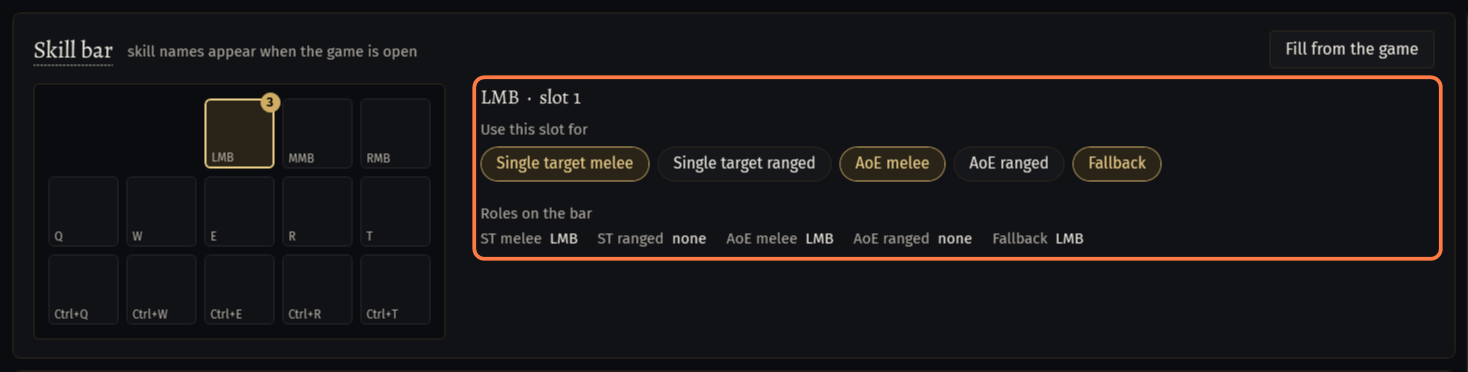
Under Use this slot for, click the roles the slot gets. A role is gold while it is on; click it again to take it off.
- Single target melee and Single target ranged: one monster, or a small pack.
- AoE melee and AoE ranged: when at least AoE pack size other monsters stand within 20 of the target (card Targets).
- Fallback: when no other role can attack right now.
A role sits on one slot: giving it to another slot takes it from the first. One slot may have several roles; the badge on the slot says how many.
Roles on the bar lists the five roles and their slots. Click a line to show its slot.
How the bot picks: when a ranged role is set, the ranged roles come first, else the melee ones; of them the AoE role for a pack, the single target one for the rest. A skill that cannot be used right now (mana, cooldown) is passed over for the next role, and Fallback comes last.
One attack skill: give its slot both roles of its kind and Fallback, as Fill from the game does. A melee skill on LMB: Single target melee, AoE melee and Fallback.
Two skills: a single target skill on RMB and a pack skill on Q: Single target ranged for RMB, AoE ranged and Fallback for Q.
Leave auras, guards, curses, Move and the spells Arcanist Brand casts without a role: the bot presses them by their own rules.
Ranges
The ranges are in map cells from the character.
Combat range: how far along the path the bot looks for monsters. Farther ones are left alone.
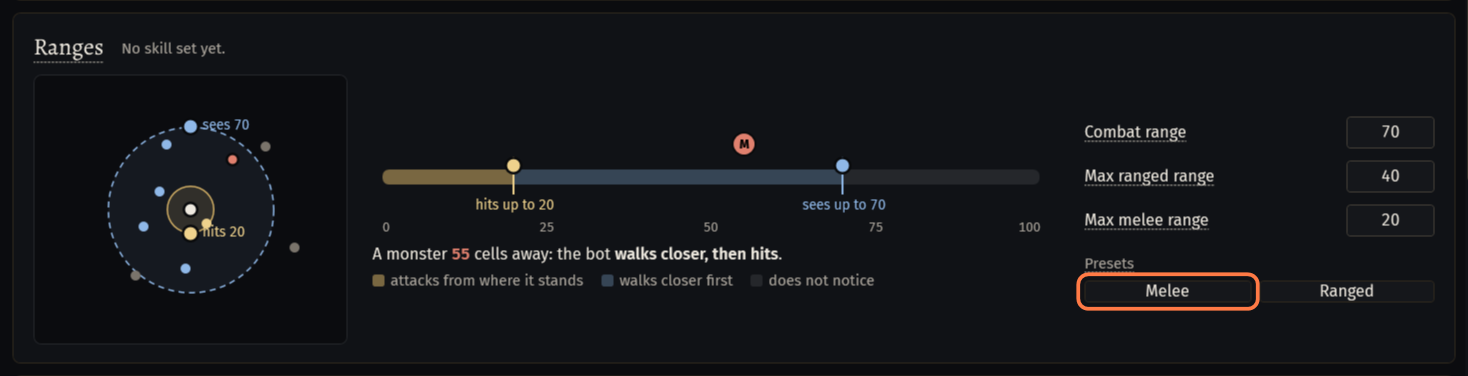
Max ranged range: with a ranged skill or a spell the bot attacks from up to this far; a farther monster it walks up to first.
Max melee range: the same for melee skills.
Type the numbers, or drag the knobs of the circles in the picture. The red monster on the ruler shows what the bot does at that distance.
Presets: Melee sets 60 / 20 / 40, Ranged 80 / 15 / 70 (combat / melee / ranged). You can change the numbers after.
- The line next to Ranges says which range the picture draws: the ranged one as soon as a ranged role is set.
Picking Uber Atziri, Uber Uber Atziri or a Nightmare method sets Combat range to 200, and it stays so. Set it back yourself when you go back to another method.
Targets
Every switch of this card is off by default.
AoE pack size (3): how many other monsters within 20 of the target make the bot use an AoE role.
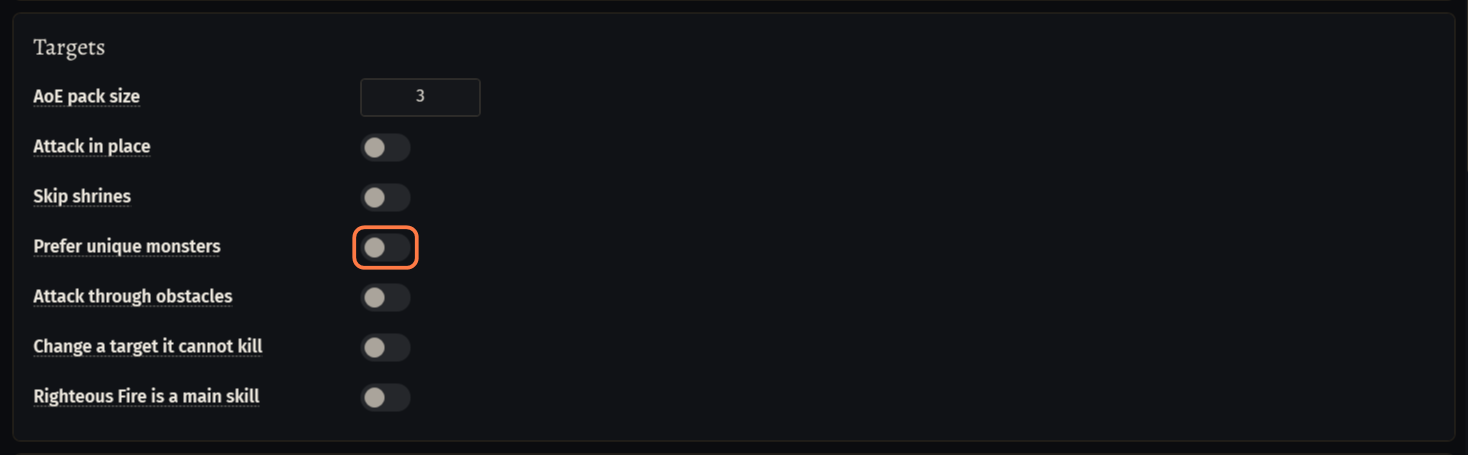
Attack in place: attacks with the in-place key, so the character does not step towards the target while it attacks. It still walks up to a target out of range.
Skip shrines: the bot does not walk to shrines within 50.
Prefer unique monsters: uniques in range are attacked before rares and the rest.
Attack through obstacles: when 4 s of walking bring the bot no closer to a monster (a cage, a fence), it attacks from where it stands. No damage to it for 8 s, and the monster is left for 90 s.
Change a target it cannot kill: a target that loses no life for 10 s is left for 20 s; a normal, magic or rare monster not killed in 15 s is passed by for a minute. Not the boss of a fight.
Righteous Fire is a main skill: for a build that kills with the fire. The bot walks into the pack until the target is inside it.
The act bot always prefers uniques, attacks through obstacles and changes a target it cannot kill.
The boss bot has one more filter on its General tab, card Combat: Fight monsters from. Unique (the default) fights only the bosses and uniques of the fight, Any everything in range.
Other skills of the bar
The card Other skills of the bar switches the skills the bot presses next to the attack. What each one does: Your build: what the bot presses by itself.
On by default: Totems, Flame Wall and other helpers on unique monsters, Curses and marks on unique monsters, Vaal skills on unique monsters, Keep minions raised, Raise Spectre: the spectres fight, the character does not attack and Offerings for the minions.
Off by default: Helpers on rare monsters too and Curses on rare monsters too. Rares die fast; the casts would slow the run down.
The act bot has its own switches for helpers, curses and spectres on its Combat tab.
The Move key
The bot walks with the game's Move skill, pressed on a keyboard key of the skill bar.
Keep Move on a key: one of Q, W, E, R, T or the Ctrl row. Move only on a mouse button is not enough.
Or keep one of Q, W, E, R, T free: when Move has no key, the bot puts it on the first free one by itself, T first.
The bot presses the keys set in the game. If you changed them, set them back in the game (Options → Input), or give every slot of the bar a key of its own.
Movement: travel skills
Click the Movement tab over the page.
Keep Use travel skills on (the default). On a long way the bot casts the first skill of the list that is on and ready: the order is the priority. Never in a town or a hideout.
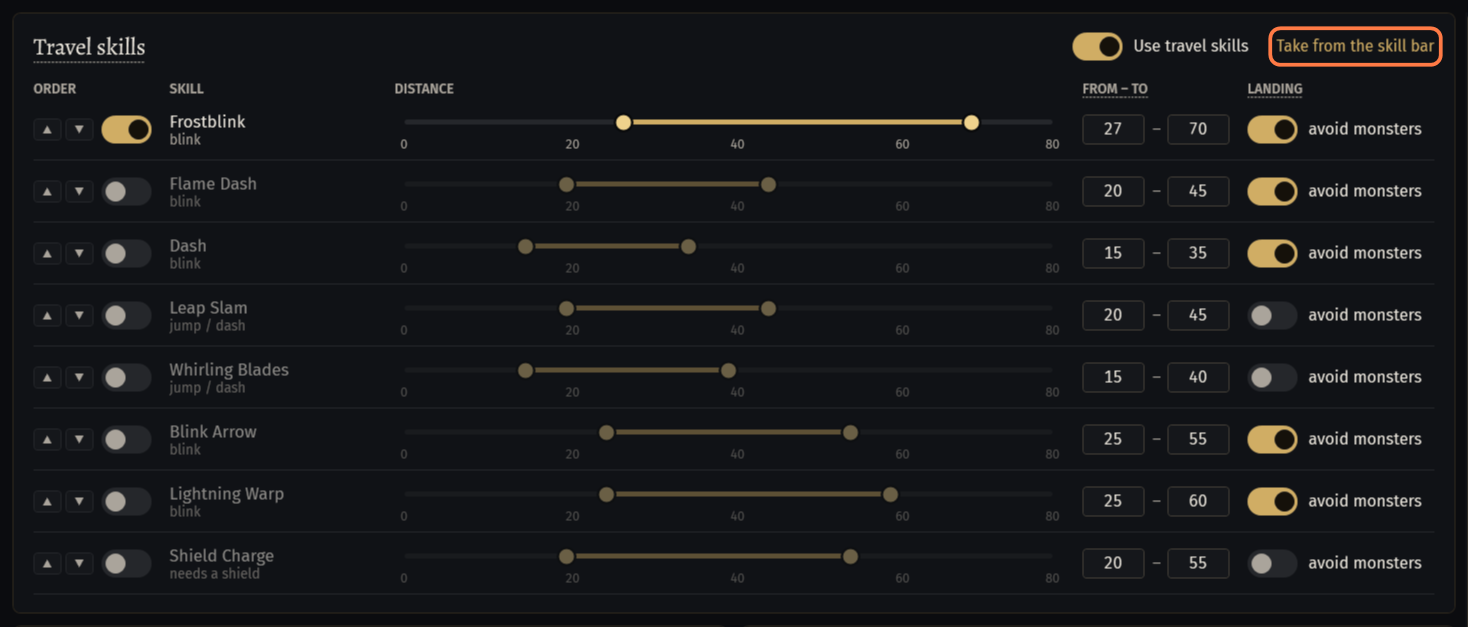
Press Take from the skill bar with the game open: the skills of the list that are on your bar switch on, the others off. The line under the card says which.
Or set each row yourself: the arrows move it up or down (Higher priority, Lower priority), the switch turns it on.
FROM – TO: the way must be at least "from" long, and the skill lands at most "to" away. Drag the ends of the band on the ruler, or type the numbers.
avoid monsters (column LANDING): the skill never lands next to a monster. It is on for the blink skills.
- The list: Frostblink, Flame Dash, Dash, Leap Slam, Whirling Blades, Blink Arrow, Lightning Warp, and Shield Charge (it needs a shield). Their transfigured gems count too.
A skill switched on here that is socketed but not on the bar: at Start the boss and map bots put it on a free slot with a key.
The act bot does not use this list: it takes the movement skills of its PoB build (Use movement skills from the PoB build, act bot tab Combat).
Buffs while moving and walking
Buffs while moving: Withering Step and Phase Run, each with its switch, are cast on a long way: On a way longer than (60), Not more often than every, s (3). After 3 failures in a row a buff rests for 30 s.
Walking: Keep away from walls (on) keeps the path a little off the walls, so the character does not catch on corners. Force adjust combat areas (off) moves the click point away from a wall right next to it in every combat area.
Step length (35), Single click when closer than (18) and Path refresh, ms (30): leave them as they are unless the character walks badly.
If something goes wrong
What you see and what to doMovement: The Move skill is not on the skill bar: put it on a key of the skill bar (not on a mouse button). (E-Z8HJ)- Put Move on one of Q, W, E, R, T, or keep one of them free and press Start again: the bot puts Move there.
Bot: No free slot with a key for Move: clear one of Q, W, E, R, T and start again. (W-HJ75)- Take a skill off one of Q to T, or give the empty slot a key in the game (Options → Input), then press Start.
Combat: No attack skill is set: choose the attack skills on the routine's settings page before starting. (E-2R5U)- No slot has a role and the bar has no attack. Give the slot of your attack a role under Use this slot for, or put the attack on the bar and press Fill from the game.
- The game is not open: start it with your character, then press again.
- Fill from the game and Take from the skill bar read the skill bar of the game. Enter the game with your character first.
- None of these skills is on your skill bar now.
- None of the travel skills of the list is on the bar. Put one on a key of the bar, or leave Use travel skills off.
Stuck on a step?
Ask in #support on our Discord and send your log with Copy log: it shows what the bot saw.