Guide · Settings
Guards, buffs and flasks
Guards & Buffs and Flasks are two tabs under Character. A rule says when a skill or a flask is used: below a share of life, mana or energy shield, always, or only near a monster. The boss and map bots fill both pages from the game at Start; for the act bot and FollowBot you add the guards yourself.
Where they are
Click Character in the menu, then the Guards & Buffs or the Flasks tab over the page.
Each bot has its own lists.
- Guards & Buffs: .boss, .map, .actbot and .followbot (the last two share one list).
- Flasks: .boss and .map. The act bot and FollowBot set their flasks themselves (see below).
The boss and map bots use both pages while Guards & Buffs + Flasks is on: tab General, card Combat (on by default).
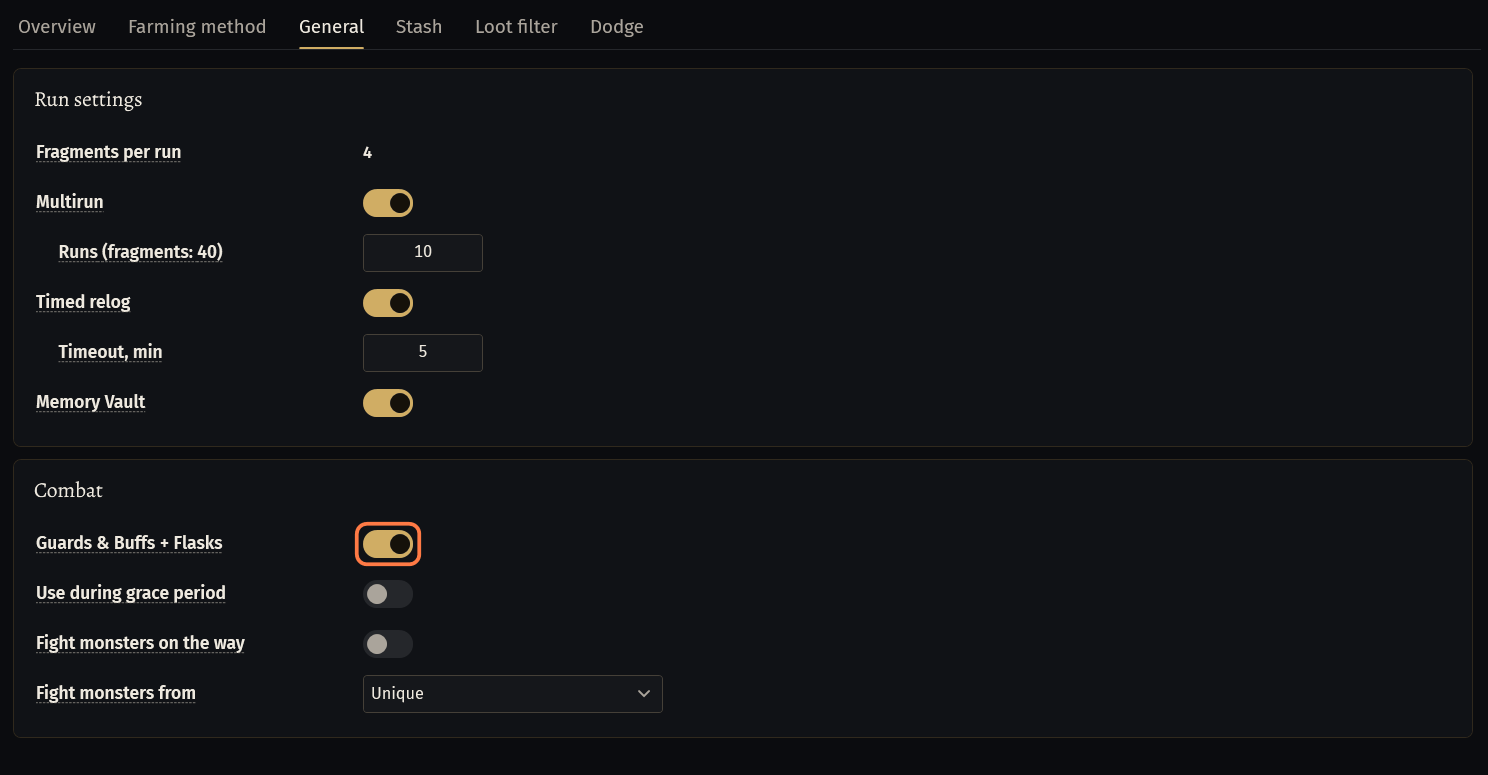
Nothing is pressed in a town or a hideout, while the character is dead, or right after you enter an area while the game's grace period lasts. Use during grace period (under the switch, off by default) presses them then too.
What the bot fills in by itself
.boss and .map: at Start, in the game, the bot fills an untouched Guards & Buffs from the skill bar and an untouched Flasks from the belt. The card Setup check on General lists what it set.
Untouched means: never filled and still empty (no skill in the list, every flask off), or just as the bot filled it last time. Then the page follows the game: another belt or another skill bar gives new rules at the next Start.
Once you change a rule, the page is yours: the bot never changes it by itself again, and the setup check says Kept as you set them. The buttons Fill from the game and Fill from the belt still fill it when you press them.
Guards and buffs it adds:
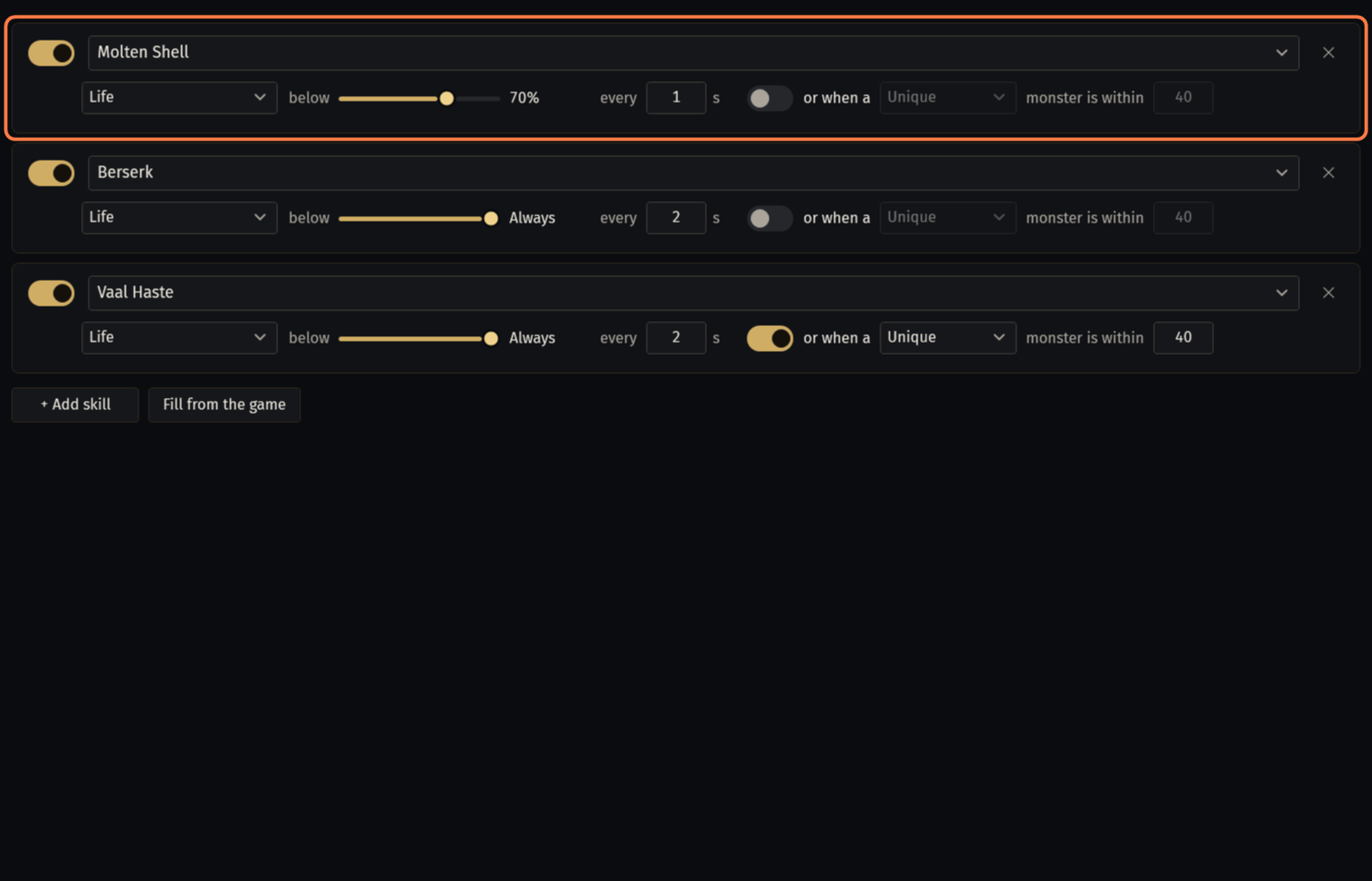
- Molten Shell, Steelskin, Immortal Call, Bone Armour, Arcane Cloak and other guards: below 70% life. Vaal Molten Shell and Vaal Immortal Call: below 50%.
- Vaal Discipline: below 40% energy shield (below 50% life for a character without energy shield).
- Warcries: below 90% life, every 4 s.
- Berserk (every 2 s), Blood Rage (every 8 s) and Righteous Fire: always.
- Vaal Haste, Vaal Grace, Vaal Clarity and the Vaal Impurities: always, next to a unique monster within 40.
A guard of the list that is socketed but not on the bar: the bot puts it on a free slot with a key.
Flasks it sets: life and hybrid flasks below 60% life, mana flasks below 35% mana, Quicksilver always, every other flask below 90% life (in a fight). With Poisonous Concoction or Explosive Concoction as the main skill, the flasks it throws are kept for it.
.actbot and .followbot fill neither page. Add their guards yourself with + Add skill (next part): on their page Fill from the game adds nothing.
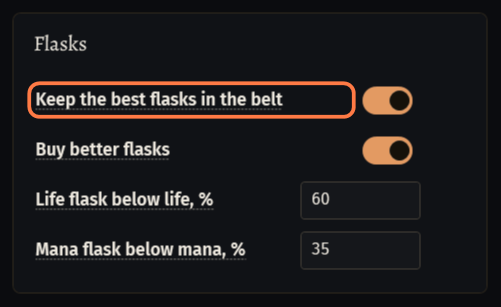
Their flasks: Keep the best flasks in the belt on the act bot tab Town & items (on by default) picks the flasks and sets their use: life below Life flask below life, % (60), mana below Mana flask below mana, % (35), Quicksilver always, the others in a fight.
A rule of Guards & Buffs
Click + Add skill. The new rule comes switched off, named New Skill.
Type the name of the skill as the game writes it, or open the list and pick it from your skills (the game must be open).
Pick what the threshold watches, Life, Energy shield or Mana, and move the slider after below. All the way to the right is Always: the skill is cast whatever the value.
every ... s: the least time between two casts.
or when a ... monster is within: switch it on to cast the skill only while a monster of the chosen rarity is that close.
- Both must hold, the threshold and the monster: set the threshold to Always to go by the monster alone.
- The rarity must match: Rare does not count a unique monster.
Switch the rule on with the switch before the name. ✕ removes it.
Only skills on the skill bar are cast, one at a time: the bot lets go of its attack for the cast.
Righteous Fire is only switched on, never off. Plague Bearer and Arcanist Brand are never pressed from this list: they have their own rules.
Fill from the game (game open) adds the guards and buffs of the character that are not in the list yet, with the ready rules above. Your rules stay as they are.
Auras, heralds and golems need no rule: the bot keeps them on by itself. Curses go with the card Other skills of the bar on Combat (Your build: what the bot presses by itself).
The five flask rules
One row for each slot of the belt.
SLOT: the belt slot, 1 to 5. ON: use this flask.
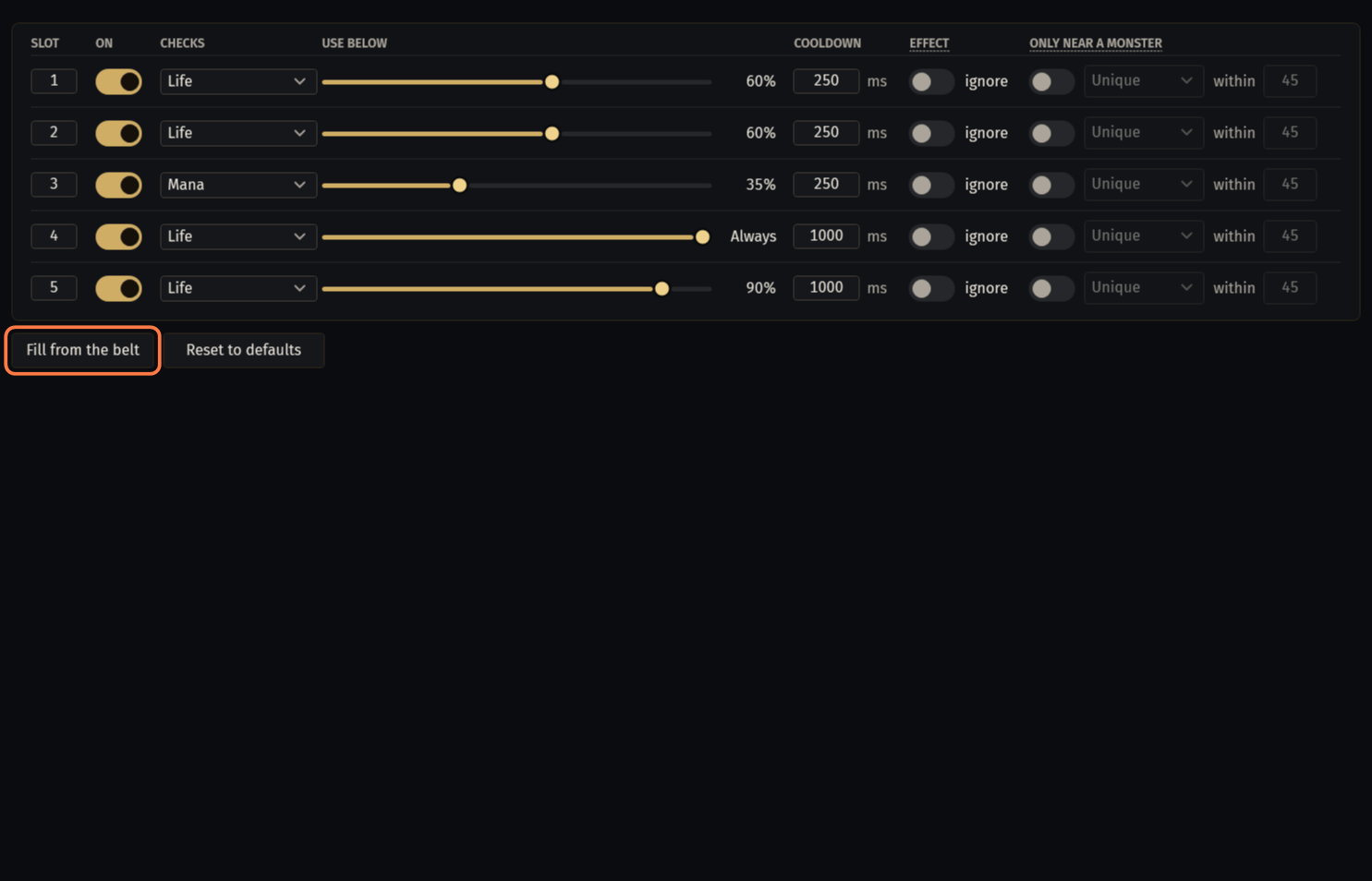
CHECKS: Life, Energy shield or Mana. Life and mana flasks always check their own resource; the choice is for the other flasks.
USE BELOW: the threshold slider; all the way to the right is Always.
COOLDOWN: the least time between two presses, in ms.
EFFECT, ignore: use the flask even while its effect is still on. Off, a flask with an effect (Quicksilver and the other utility flasks) waits until it ends.
ONLY NEAR A MONSTER: only while a monster of the chosen rarity is within the radius (45 by default). The rarity must match: Rare does not count a unique monster.
Life flasks take turns: one at a time, the next only if life is still low after the first had time to heal (0.7 to 2 s), or 0.3 s later below 35% life. Mana flasks take turns the same way.
Fill from the belt (game open) sets the five rules from the belt, as the bot does at Start, and replaces the rules you have. Reset to defaults switches all five off.
If something goes wrong
What you see and what to doFlasks and buffs: Flask 3: the game took none of the last 3 presses in this area (...): check the key of flask slot 3 in the game's settings. (W-EP6L)- The key of that flask does something else in the game. In the game: Options → Input, flasks on 1 to 5. The default keys work.
Bot: Steelskin could not be put on slot Ctrl+E: put it on the skill bar by hand. (W-HJ75)- Put the skill on a key of the skill bar yourself: the bot casts only skills on the bar.
- No guard or buff of the character is missing from the list.
- Every guard and buff of the character is in the list already. On the act bot and FollowBot this button never adds: use + Add skill.
- The game is not open: start it with your character, then press again.
- Fill from the game and Fill from the belt read the game. Enter the game with your character first.
Stuck on a step?
Ask in #support on our Discord and send your log with Copy log: it shows what the bot saw.