Guide · Getting started
Quick start: from sign-up to your first run
This guide takes you from a new account to a running bot. You need Windows 64-bit, .NET Framework 4.8 (usually installed already) and Path of Exile 1. PoE2 is not supported.
Sign in on the site
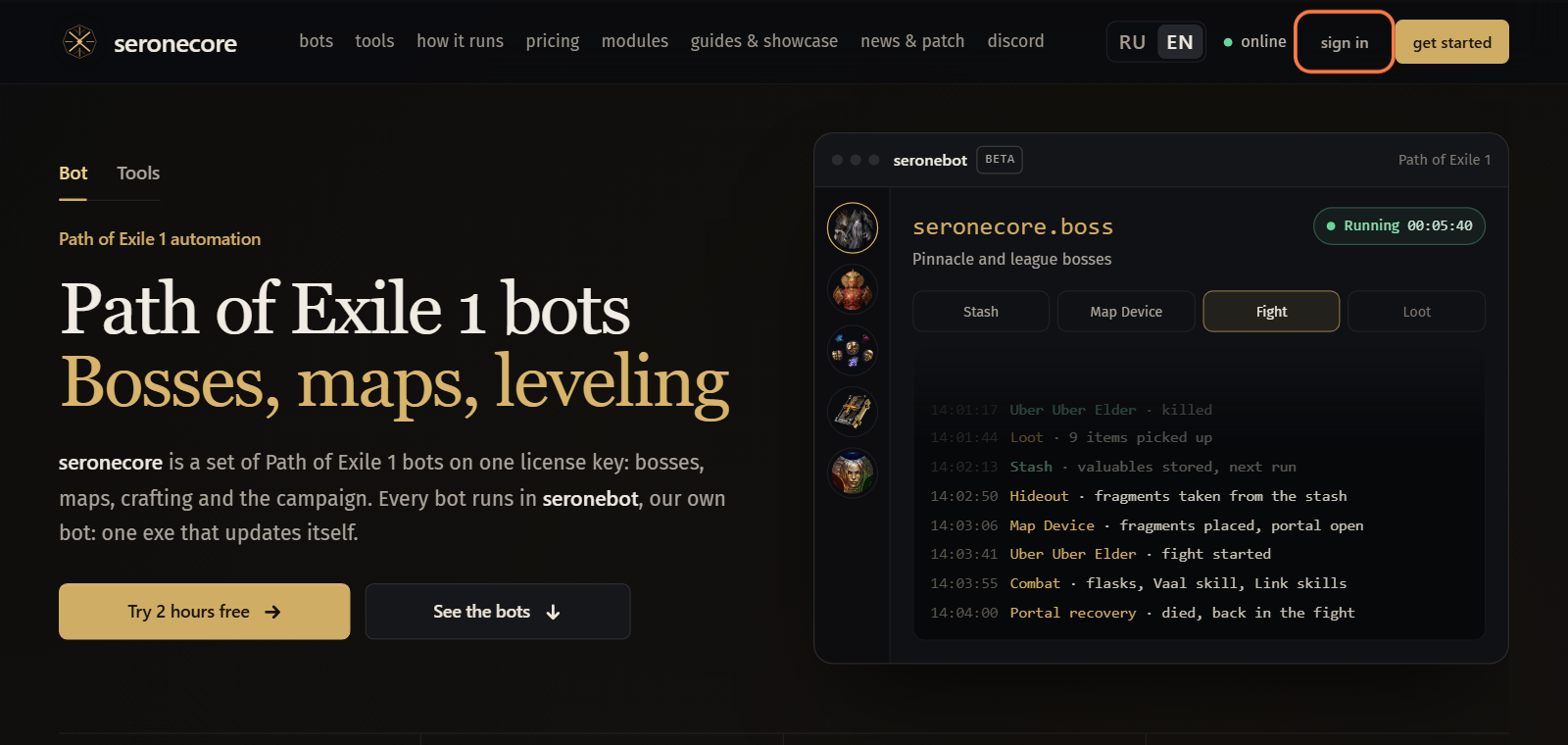
Open seronecore.com and click sign in at the top of the page.
Discord asks to let seronecore.com see your account. Confirm it there. The site opens your dashboard.
- Your account gets one key. The 2 free hours go on it when your Discord account is older than 30 days and no other account got free hours from the same internet address in the last 30 days or on the same PC.
Look at the time card on Overview: Trial key · 2 hours with the time left means the free hours are on your key.
Important: Unused free hours burn after 7 days without a run, and 30 days after they are given at the latest.
Download seronebot
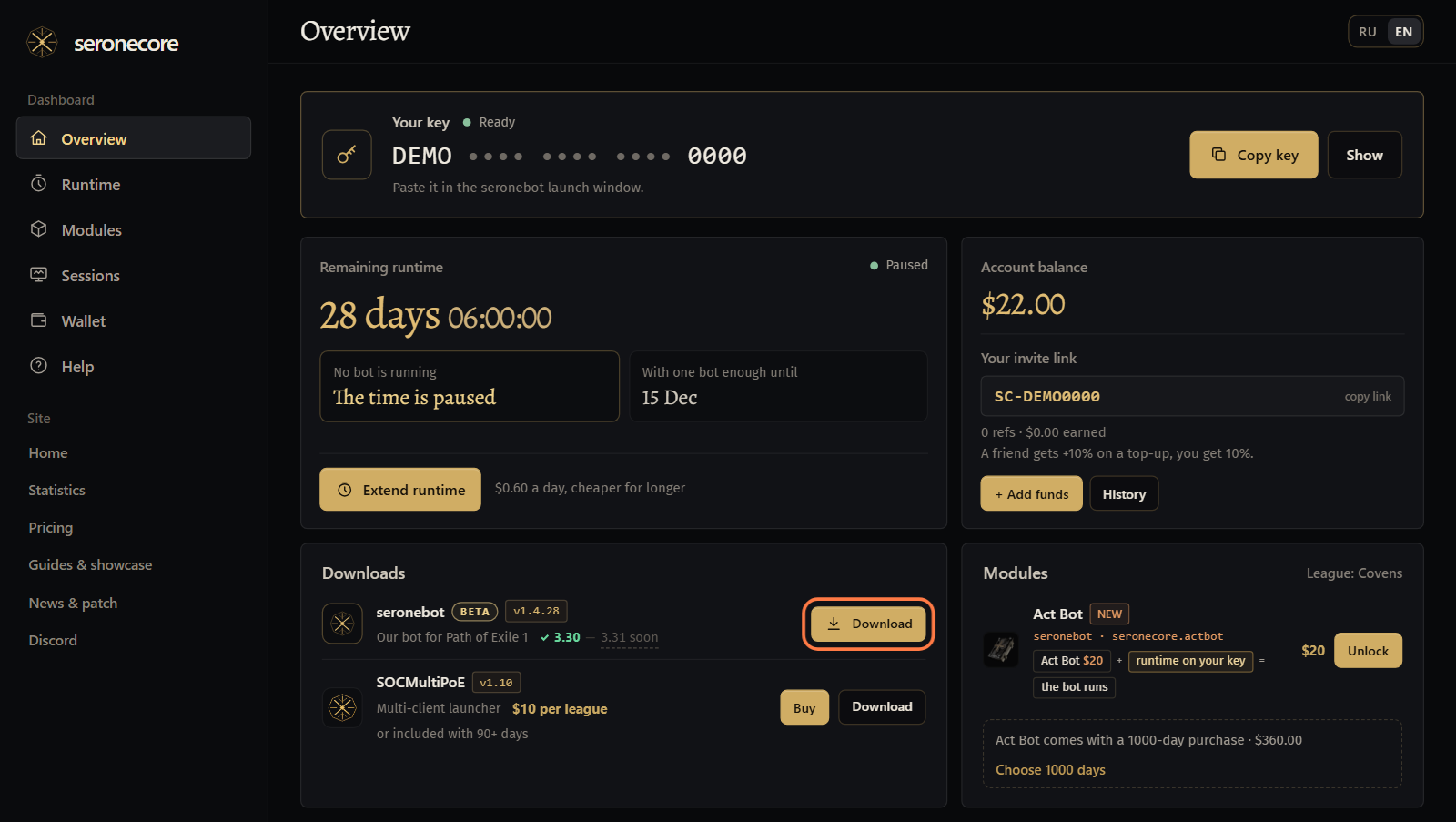
On Overview find the Downloads card and click Download next to seronebot.
- The button is there while your key has time. Without time you see Download opens while your key has runtime and a button to buy runtime instead.
Put
seronebot.exein a folder of its own, for exampleC:\seronebot.- seronebot keeps its
SettingsandLogsfolders next to the exe. It updates itself, so you download it only once.
- seronebot keeps its
Start seronebot as administrator
Double-click
seronebot.exe. Windows asks for administrator rights: click Yes.Important: Start the game and seronebot as the same Windows user.- seronebot reads the game and presses keys in it, so it always asks for these rights.
The launch window opens. Keep Bot picked at the top of it: Tools is the other mode, with plugins over the game while you play yourself.
- The line under the logo says what the window does now. First it checks for a newer seronebot: This is the latest version, or it offers the update after the key step.
Paste your key
On the dashboard click Copy key in the Your key box at the top of Overview.

In the launch window, under Enter your seronecore key, click the field, paste the key with Ctrl+V and click Activate.
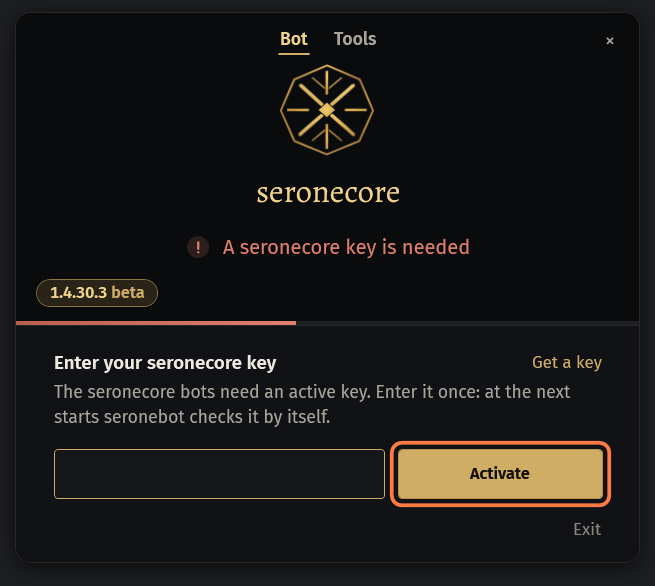
- Get a key in that window opens the dashboard.
- When the line says The key is active, the window goes on by itself.
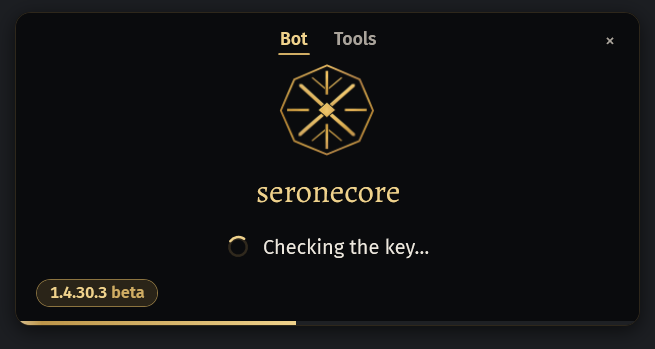
At the next starts there is no field: the window checks the saved key by itself and says Checking the key….
Take the update
only when one is outWhen a newer seronebot is out, a card shows your version and the new one. Click Update now: seronebot downloads it and starts again.
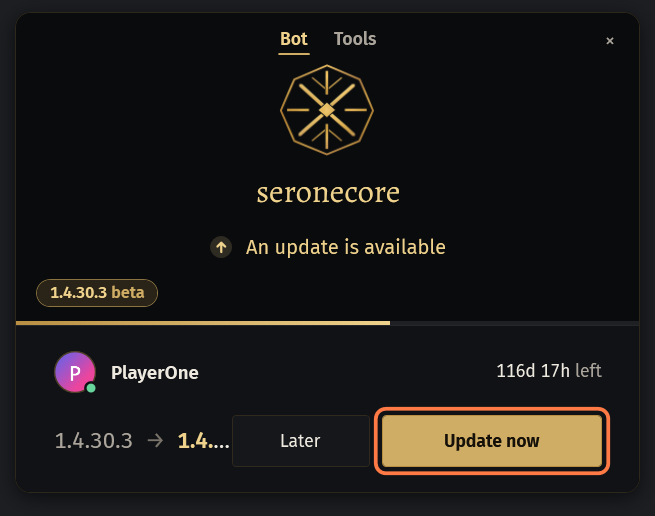
- Later keeps the version you have.
- This version is no longer supported: the bot does not start without the update. means only Update now and Exit are there.
Choose the game
Start Path of Exile and log in with your character, if it is not running yet. The list under Choose the game updates by itself.
Your game is picked in the list. With several games running, click the one you want. Click Connect.
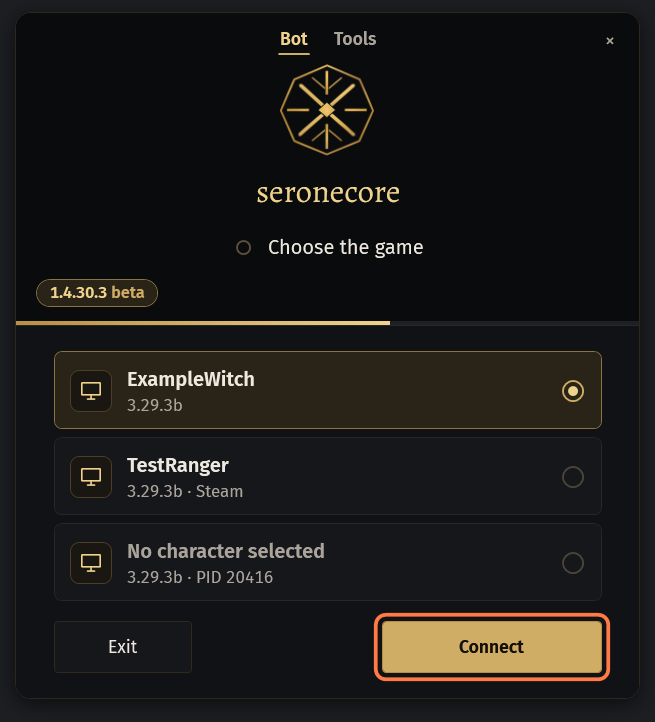
- Each row shows the character, the game version, and whether the bot is checked on that league.
- A game another seronebot is connected to is not in the list: one seronebot per game.
The window connects, starts the key session and closes with All set, opening seronebot.
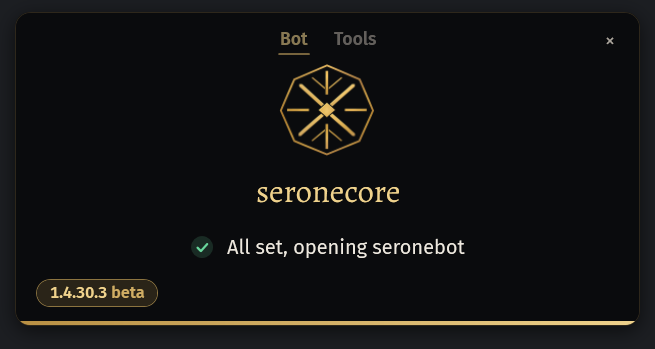 Important: From now on the key's time runs while seronebot is open, even when the bot is stopped. Close seronebot when you do not use it.
Pick a bot and press Start
seronebot opens in its small window. It shows one bot: its name, what it is set to, its counters and Start.
To pick a bot, click the gear at the top right of the small window (Settings). The big window opens.
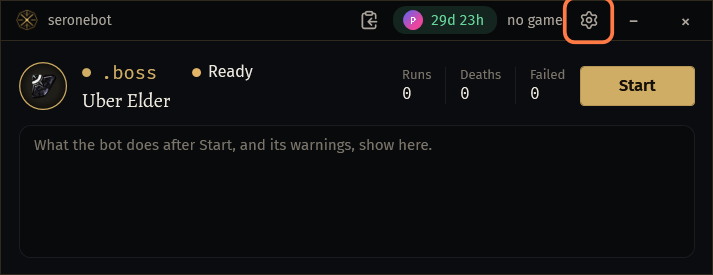
In the menu on the left, under Bot, click the bot you want:
.bossfor bosses,.mapfor maps,.utilityfor crafting and other tools,.actbotfor the campaign,.followbotfor a party follower.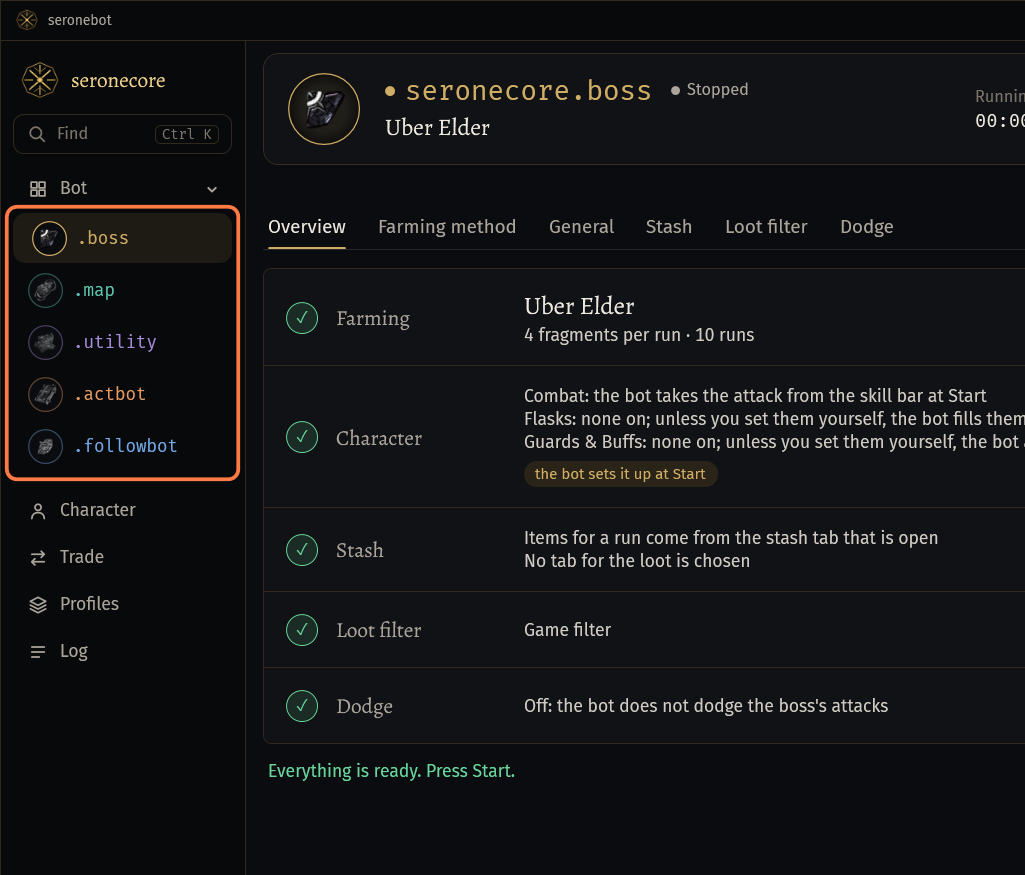
- The bot's page opens on the right. Set the bot up there.
- RU at the bottom of the menu switches the window to Russian; seronebot remembers the choice.
Look at the chip next to Start. Ready means everything the bot checks at Start is in place. Ready 3 of 5 means something is missing: click the chip to see what.
Click Start.
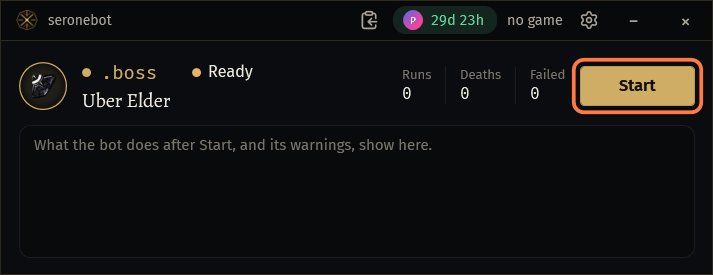
- Not in your key over the bot's page means your key does not include this bot or method: see the guide about your key.
- To go back to the small window, click the button next to minimize in the title bar (Compact window (570 × 220)).
You do not have to set your skills up one by one: the bot presses the skills of your build by itself. The act bot takes them from the PoB build, the other bots from your skill bar at Start. What it presses and what not: Your build: what the bot presses by itself.
If something goes wrong
What you see and what to do- Download opens while your key has runtime
- Your key has no time. If you have just signed in, the time card on Overview says why the free hours are not there. Otherwise buy runtime on the Runtime page: the days go onto the same key.
- Free hours go to Discord accounts older than 30 days.
- Your Discord account is younger than 30 days. Overview shows the date when the 2 hours are added to your key by themselves. You can buy runtime meanwhile: the days go onto the same key.
- Another account got the 2 free hours from your internet address in the last 30 days, so this key has none.
- Free hours go to one account per internet address in 30 days, and to one account per PC. Buy runtime, or write to us on Discord if this is a mistake.
- Cannot connect to the game ...: Access denied to process ...: the game runs as administrator, run this tool as administrator too.
- Close seronebot. Start it again and click Yes when Windows asks for administrator rights. On a Windows account that is not an administrator, Windows asks for an administrator password. Start the game and seronebot as the same Windows user.
- Start Path of Exile: the list updates by itself
- Start Path of Exile 1 and wait until its window is open: the game shows up in the list by itself.
- Every running game has a seronebot connected already. Start another Path of Exile or close one of them.
- One seronebot per game. Close the extra seronebot, or start one more game for it.
- seronebot works with PoE1 only
- Path of Exile 2 is not supported. Pick a Path of Exile 1 client in the list.
- The key was not accepted
- The line under it says why. Check on the dashboard that your key has time left. Copy the key again with Copy key, paste it with Ctrl+V, with no spaces around it, and click Activate. Never post your key in Discord.
- Path of Exile has been updated
- Nothing to fix. After a game patch the bot needs data for the new game version. Leave the window open: it checks by itself and offers the seronebot update as soon as it is out. Every release is posted in #seronebot-updates.
- The game needs its update
- Your Path of Exile missed a patch. Close it, start it once from its own launcher (Steam or the standalone client) and let it download the patch. Then start seronebot again.
- seronebot is not ready for league … yet
- The bot is being updated for the new league. Leave the window open: it checks by itself and goes on once the start is open.
Stuck on a step?
Ask in #support on our Discord and send your log with Copy log: it shows what the bot saw.