Guide · The site
Statistics on the site
The bots send what they do to seronecore.com: runs, loot, deaths, the windows that farm now and, for the act bot, the time of every act. The statistics page puts it together for your account and shows only the methods your key has.
Open the statistics
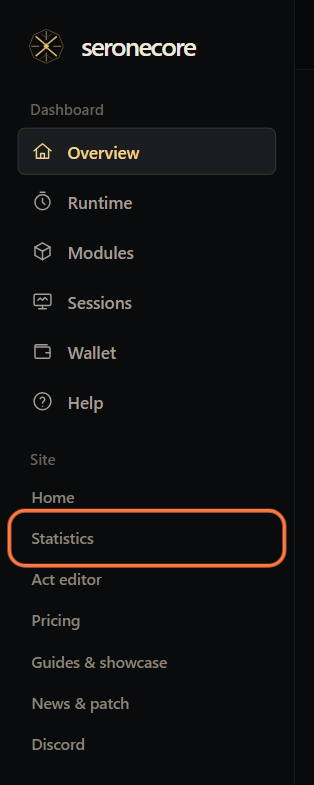
Sign in on seronecore.com. On the dashboard, click Statistics in the menu under Site.
The page opens on Summary. The left menu lists your bots under Bots: .boss, .map, .utility and, with the Act Bot module, .actbot. A bot opens its method pages.
Summary: all bots today
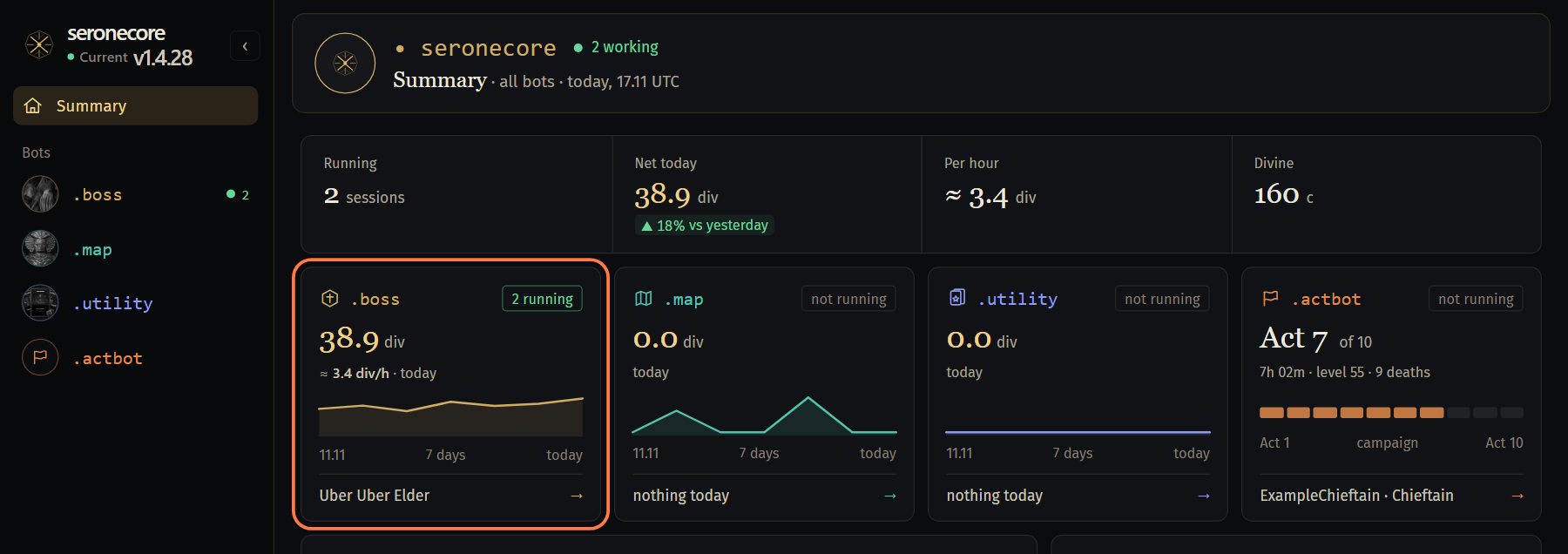
The strip at the top: Running (windows farming now), Net today in divines with the change against yesterday, Per hour, and the Divine price in chaos.
Under it, a card per bot: today's net, divines per hour and a line of the last 7 days. The bottom line names the best method of today. Click the card to open that method.
The .actbot card shows the last campaign run instead of money: the act, the time, the level and the deaths. Click it to open Act Tracker.
Today is the UTC day (the page can switch to Moscow time). Net is the tracked loot at the current prices minus the entry cost, as on the method pages.
Running now and events
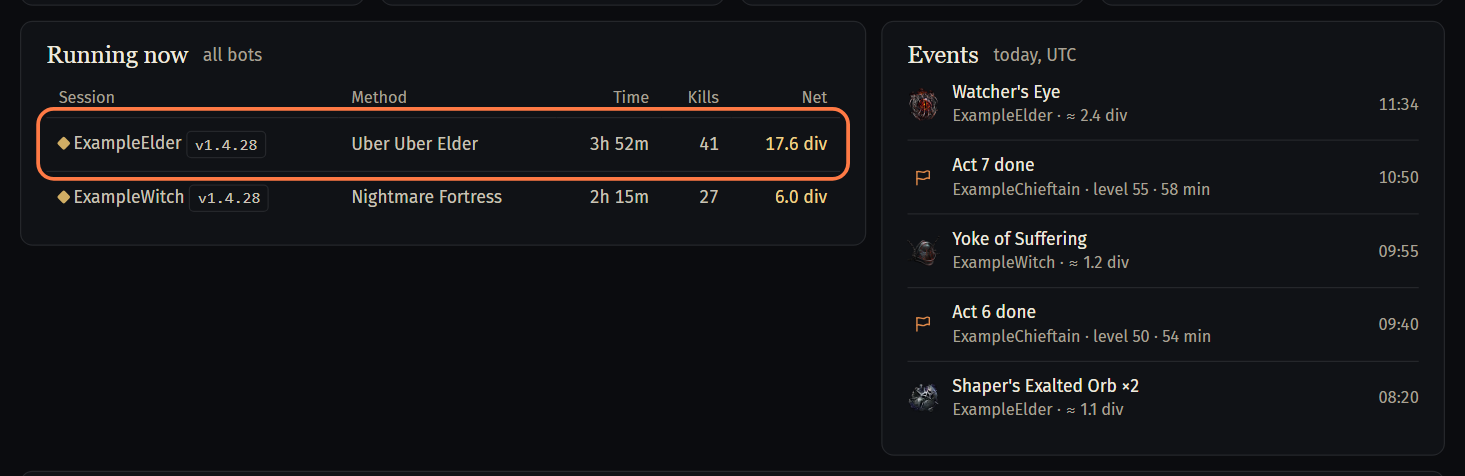
Running now lists the windows farming at this moment: the session (the character and the bot version), the method, the time, the kills and the net. Click a row to open its method page.
- A version marked outdated is older than the current seronebot release.
Events lists what happened today: drops worth a divine or more, acts the act bot finished, failed Ultimatum runs, Deck opener trips and Farm Guard stops.
All methods
All methods has a row per method of your key: Now (windows running), Today (runs), Net today, div / h, All time (runs) and Last. Click a row to open the method.
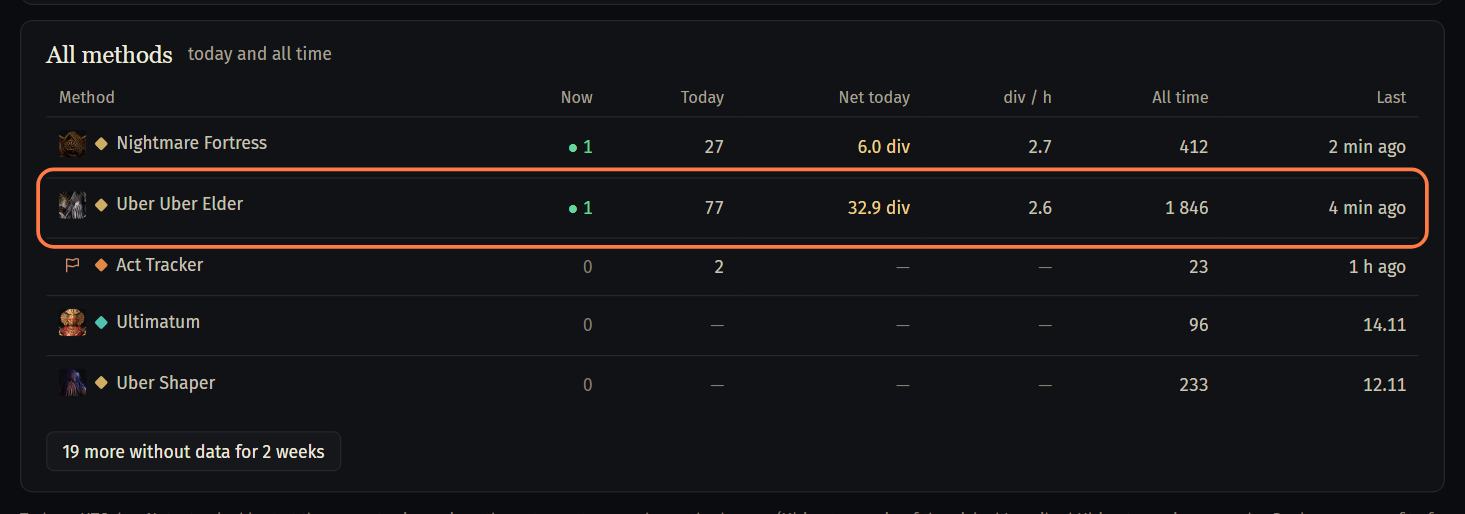
Methods without data for 2 weeks are folded under the button below the table.
A method page: total, sessions and loot
A method page, for example Uber Uber Elder, has the tabs Statistics, Farm method (the tiles of the other methods) and Full history. On Statistics, from the top:
Total: what the windows farmed since the last reset. Income is the loot at poe.ninja prices, Entry the fragments spent, Net the difference; then Kills, Div per hour, Fragments left, Deaths and Average run, and below This league, All time and All players.
Reset total saves the total to History and starts the count from zero; the page asks first. The total also goes to History by itself when the windows have not killed the boss for an hour.
Your sessions: a card per window with its numbers and its loot, the table of windows and the filters. Kill PoE closes the game of that window and asks first.
Further down: Supply and timer (fragments left and the Farm Guard), Loot (what dropped and what it is worth), Prices and History.
Act Tracker: the act bot's campaign
Act Tracker comes with the Act Bot module. Open it with .actbot in the left menu or the .actbot card of Summary.
Campaign runs on the left: a card per run with the character, the start, the class, the time and how many of the 10 acts it has. best run marks the fastest run with all 10 acts, not finished a run without all 10 acts. Click a card to open the run.
The run on the right: Time, In towns, Deaths and Levels, and the chips best run and grinding (the time the bot cleared areas for experience).
Run timeline: one bar per act, as wide as its time. Gold is the best time of that act, the hatching the time in towns, the teal line the grinding; under each act its time, the level at its end and the deaths. Click an act to see its zones.
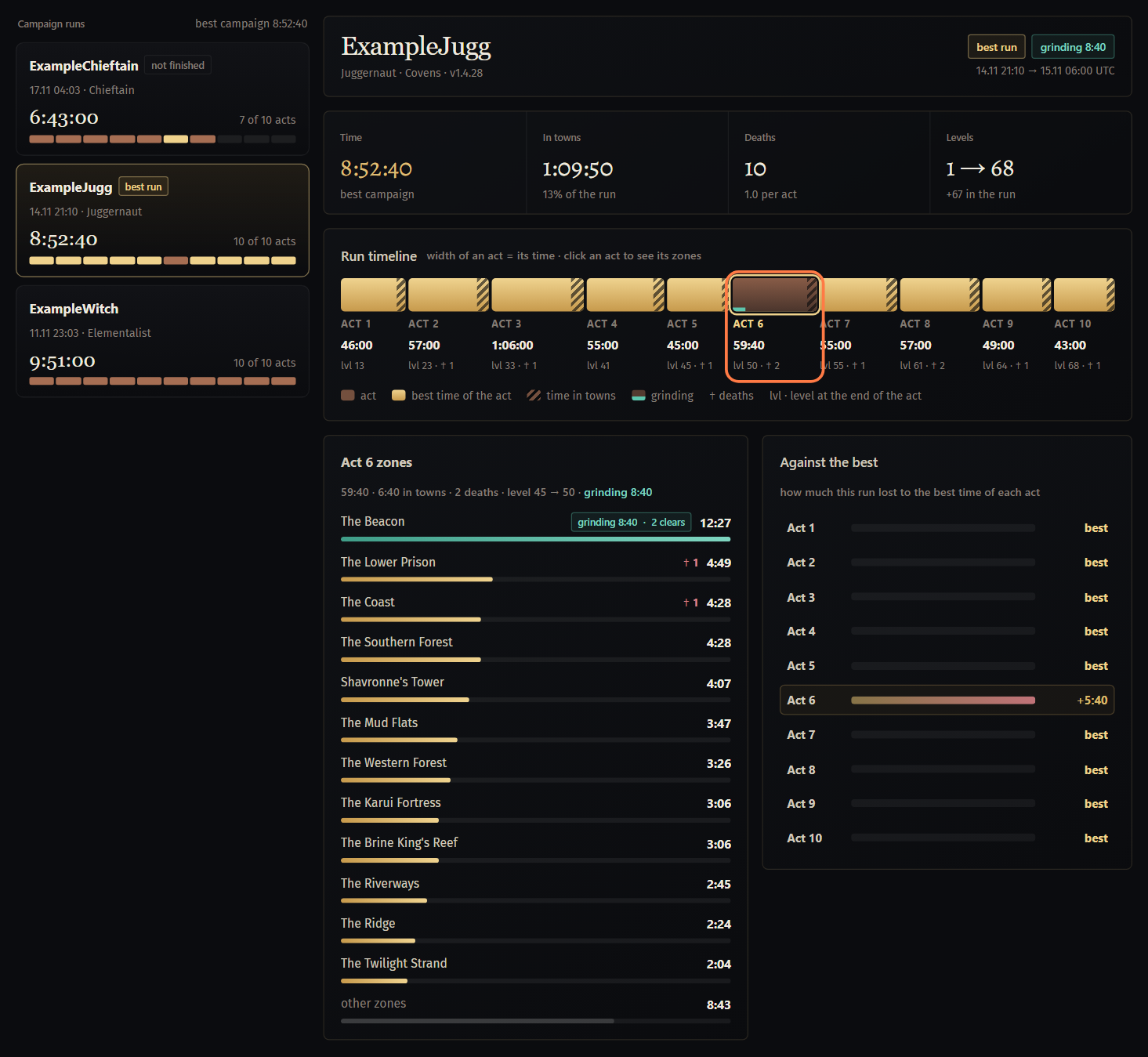
The zones of the act: the longest zones with their time, deaths and grinding (with the clears); the rest, towns included, is in other zones. Against the best shows how much each act of the run lost to the best time of that act.
The bot sends an act when it finishes it, and counts only the time in the game while it runs. An act the bot joined in the middle is not sent: its time would be wrong.
If something goes wrong
What you see and what to do- No acts recorded yet in Act Tracker
- The bot sends an act only when it finishes it, and only an act it played from the start: an act it joined in the middle is not sent. Let the act bot finish an act.
- The act tracker comes with seronecore.actbot
- None of your keys has the Act Bot module. Add it on the dashboard, tab Modules. The free 2 hours do not open Act Tracker.
no window is farming now: the count comes from running windows(under Fragments left)- Fragments left is counted from the windows that farm this method now. Start a window on the method; the number shows once it takes fragments from the stash.
an hour without killsin History- The total went to History by itself: the windows killed nothing on this method for an hour. The saved total stays in History; the league and all-time counts do not change.
No sessions running.under Running now- No window is farming a method right now. Windows show up here while a bot farms.
Stuck on a step?
Ask in #support on our Discord and send your log with Copy log: it shows what the bot saw.