Guide · FollowBot
FollowBot: a follower for your party
FollowBot (.followbot) plays a second character in your party: it keeps near the leader, goes where he goes, does its own quest steps and levels on the build of the act bot. It is free in every key and runs while the key has time, like every bot.
New: watch the first run
FollowBot is new: our own games have not run it yet. This guide says what the code does now. Watch your first run with it. When the follower stands still or does something wrong, press Copy log and send us the log.
Start in a town, with the leader standing next to the follower.
The card Status on the right of the page shows what the follower does, in the line Leader: Following, Waiting for the leader, Teleporting to the leader and the like.
Let the leader walk into the next area and see the follower come after him.
Before you start
Put both characters into one party in the game. The leader is a player: a friend, you on another PC, or the act bot in another game window.
FollowBot levels on the build of the act bot page (.actbot): load a PoB build on its Start tab. The gems, the passive tree, the gear, the flasks and the loot settings come from there too. How: Act Bot: the campaign on your build.
The skills of the build are pressed as by the act bot: Your build: what the bot presses by itself. Your guards (Molten Shell, Steelskin...) go on Guards & Buffs, which FollowBot shares with the act bot.
Two bots on one PC: start each game window from its own SOCMultiPoE profile. Two seronebot windows started from the same folder share the settings of the act bot page, so the leader's act bot and the follower would have one PoB build. See SOCMultiPoE: run several game windows.
The leader and the distance
In the menu under Bot, click .followbot. The page opens on Follow.
Leader's character name: the name of the leader's character as the game shows it over his head; case does not matter. Or stand next to him in the game and press Nearest player: it takes the name of the nearest other player in the area.
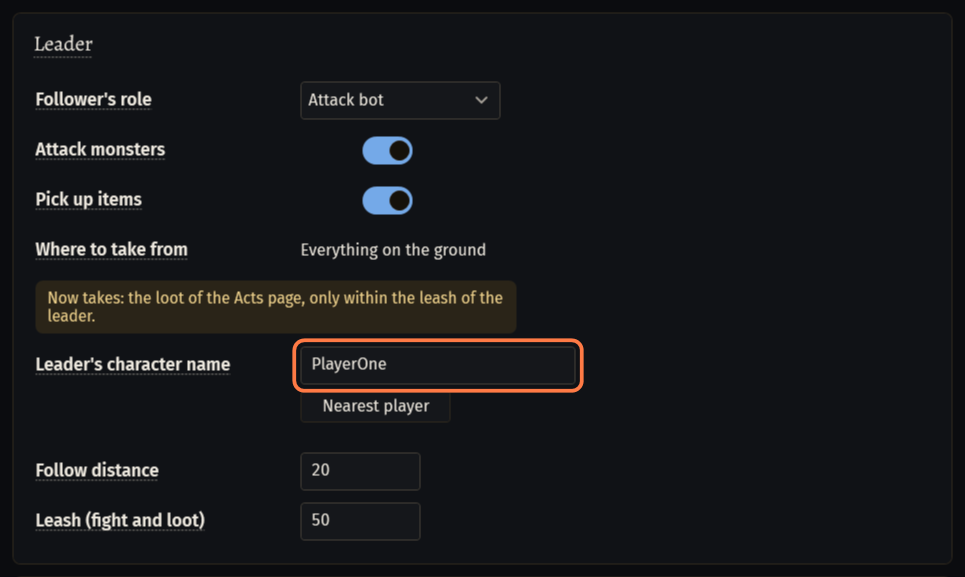
Follow distance (20 by default, 4 to 60): farther than this from the leader, the follower walks to him and stops at 3/5 of it.
Accept the leader's party invitation (on by default): an invitation from the leader is accepted in the party tab of the Social panel; invitations of anybody else are left alone. The follower keeps Do Not Disturb (/dnd) off, or the game would not show it the invitation.
Role, fight and loot
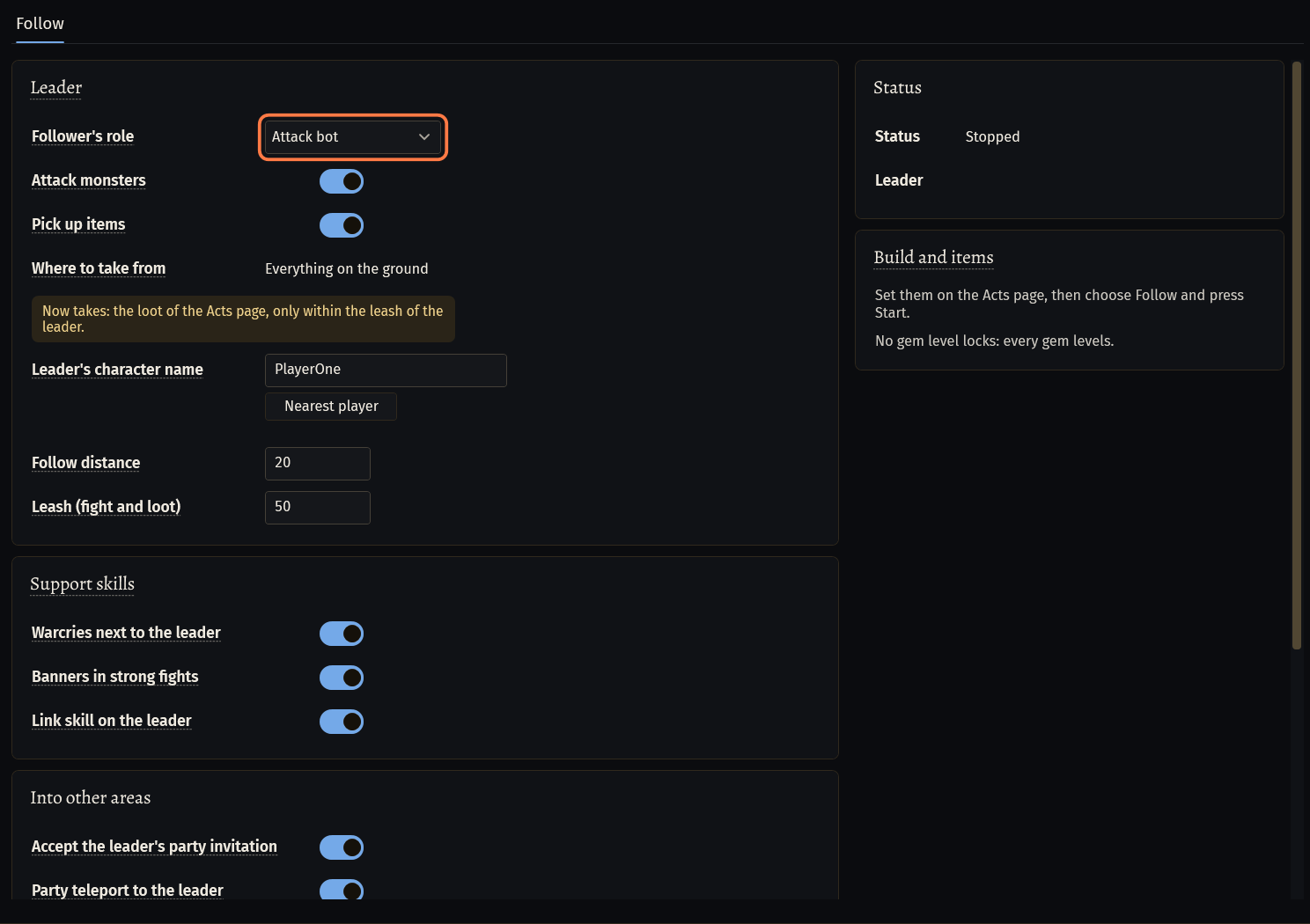
Follower's role sets the values below at once:
- Attack bot: distance 20, leash 50, fights and picks up items.
- Aura bot: distance 5, leash 30, no fight, no pickup: its auras and links reach the leader.
- Banner bot: distance 6, leash 30, fights (melee hits and kills give the Valour a banner needs), no pickup.
- Warcry bot: distance 5, leash 30, no fight, no pickup.
- Custom (the default): changes nothing.
Every role switches the three support skills on. A value you change after it makes the role Custom; nothing else changes.
Attack monsters (off by default): the follower fights the monsters within the leash of the leader, with curses, Righteous Fire and Plague Bearer too. Off, it only follows; flasks, guards, auras and the way back to the leader work either way.
Pick up items (off by default): the loot of the act bot's Loot tab. Off: only the quest items of its own quest steps. The gold line under it says what it takes now, for example Now takes: the loot of the Acts page, only within the leash of the leader.
Leash (fight and loot) (50 by default, 20 to 150): the fight and the loot stay within this of the leader; farther, the follower comes back to him first. The box is grey while both switches are off.
- With Through the game filter on the act bot's Loot tab the items are chosen without the leash, up to 150 from the character.
An item that does not come into the bag in 3 tries stays on the ground. FollowBot uses no stash: it sells to the vendors in town. With a full bag it whispers
full inventoryonce to the party leader, not while Bots never write in chat is on in the seronebot Settings.
Warcries, banners and links
Skills of the follower's skill bar for the leader and the party. A skill that is not on the bar does nothing.
Warcries next to the leader: every warcry of the bar on its cooldown, when a rare or unique monster or at least 3 monsters are within the cry's reach. The cry waits up to 3 s of the fight for the leader to come into its reach.
Banners in strong fights: War, Dread or Defiance Banner at the start of a fight with a rare or unique monster (or a big pack) next to the leader. A banner takes the Valour that melee hits and kills give: switch Attack monsters on with a melee skill. It is not pressed again while it stands.
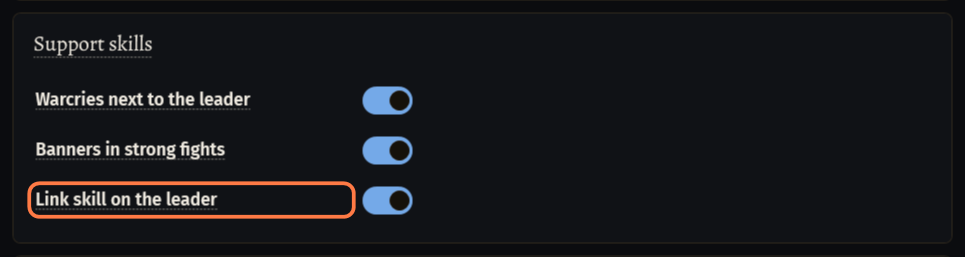
Link skill on the leader: Soul, Flame, Protective, Vampiric, Destructive or Intuitive Link of the bar is kept on the leader: cast again 2 s before it ends, within 30 of him.
The rest of the bar (the main attack, auras, golems, guards) goes as with the act bot: Your build: what the bot presses by itself.
Into other areas and maps
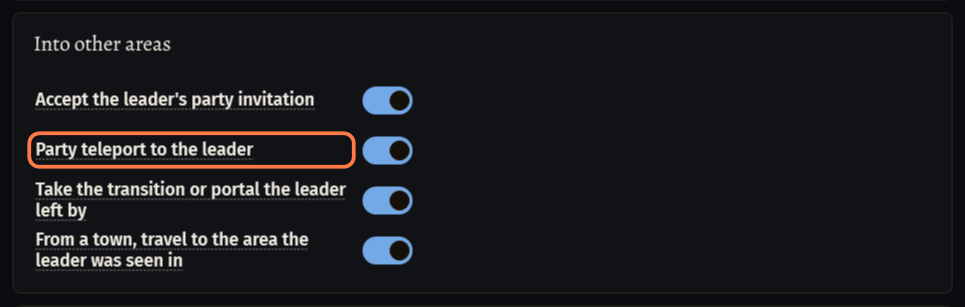
Party teleport to the leader (on by default): with the leader in another area or in his hideout, the follower clicks the blue circle by his portrait on the left of the screen, then ok in the game's confirm. Not with enemies near.
Take the transition or portal the leader left by (on by default): the leader vanished next to a transition or a portal, so the follower walks to the spot and takes the same one. After a waypoint it waits: a waypoint does not tell where he went.
From a town, travel to the area the leader was seen in (on by default): after a resurrection in town, or when the leader's portal closed behind him, by waypoints and transitions, as the act bot travels.
Waypoints: the follower takes the ones in sight near the leader and does not go looking for others.
A death: the follower comes back at the checkpoint, or in town, and goes back to the leader.
Maps: in the leader's hideout the follower stands still and goes into the Map Device's portal after him; out of the map it goes through his portal. For the teleport into his hideout the leader allows party members to visit it in the game's options.
Its own quests
Do my own quest steps (rewards, talks, turn-ins) (on by default): in a town the follower goes to the NPCs with a quest marker for rewards, talks and turn-ins. The reward is the one chosen on the act bot's Quests & rewards tab.
In areas: the Eyes to Dialla, the sailings after the leader, its own choice at a bandit the leader stands at; next to the leader its own quest items, quest chests, quest NPCs and the plaque of a trial. The kills and the way through the act are the leader's.
At a bandit the follower takes the leader's word in the party chat, else the bandit of its own act bot page. An act bot leader writes its choice there by itself. Leading by hand, write
kill,helpor the bandit's name in the party chat.Own business after the leader left town, s (15 by default, 5 to 300): while the leader is in town, the follower does its quest steps, selling and shopping there; after he left, this many seconds more, then it goes after him.
Tell the leader about a missed step in the party chat (on by default): a story quest step the party went past without the follower gets one line in the party chat, in English, without names. The follower does not go back for it.
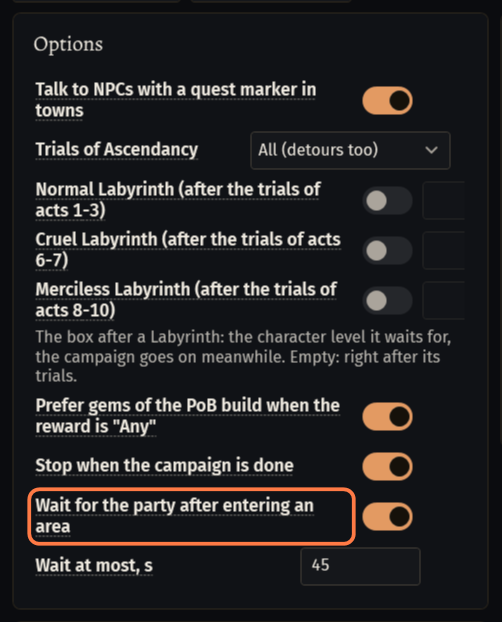
A leader that is the act bot: on its Quests & rewards tab keep Wait for the party after entering an area on (on by default). It stands at the entrance of each new area until the party is there too, at most Wait at most, s (45 by default).
What FollowBot leaves to the leader
The quest bosses and the way through each act: the follower comes along.
Trials of Ascendancy and the Labyrinth: the follower clicks only the plaque of a trial next to the leader.
The stash, trades and Ultimatum: not in FollowBot.
Missed quest steps: told in the party chat, not done later.
If something goes wrong
What you see and what to doNo leader set(card Status, line Leader)- Leader's character name is empty. Type the leader's name, or stand next to him in the game and press Nearest player.
Waiting for the leaderdoes not go away (card Status, line Leader)- The follower does not see the leader. Check the name (as the game shows it over his head) and that both characters are in one party: the party panel is how the follower finds him in another area.
Follow bot: The party teleport to the leader did not bring the character to him (1 in a row). (W-SNC9)- The game's teleport did not move the character. After two misses into one area the follower stops trying it there and takes the leader's exit. For his hideout the leader has to allow party members to visit it in the game's options.
Follow bot: The leader's party invitation could not be accepted: again in 15 s. (W-BDTP)- The bot did not find accept in the Social panel. Accept the invitation in the game by hand, or invite the follower again.
Follow bot: The inventory is full, but the leader's name is not known (no party leader, none on the page): nobody is told. (W-2GGT)- The bag is full and there is nobody to whisper to. Put the leader's name on the page; the follower empties the bag at the vendor in town.
Stuck on a step?
Ask in #support on our Discord and send your log with Copy log: it shows what the bot saw.